Showing posts with label rom. Show all posts
Showing posts with label rom. Show all posts
Friday, December 11, 2015
Install Cyanogenmod 12.1 custom rom on samsung galaxy s4 active I9295 jactivelte
Samsung galaxy s4 active is a rugged variant of s4 with almost similar specifications but they dont share same kernel sources which matters a lot for us.Hardware wise they differ a lot and also galaxy s4 active is not available every where.If you see development wise we have very less custom roms available for s4 active and cyanogenmod is one those rom.
If you are searching for custom roms for galaxy s4 active which has a model number of I9295 then what we have here is cyanogenmod rom and we will guide you to install it on your galaxy s4 active.
Before proceeding further check your device model number.Go to settings and then to about device. You will find your device model number there, confirm that you are using I9295 variant only as flashing this on other variant like on Carrier one might result in nuclear war and we hold no responsibility for that so proceed at your own risk.Device specific code name for galaxy s4 active is jactivelte
Install cyanogenmod 12.1 custom rom on galaxy s4 active I9295:
Cyanogenmod custom rom :
If you are searching for custom roms for galaxy s4 active which has a model number of I9295 then what we have here is cyanogenmod rom and we will guide you to install it on your galaxy s4 active.
Before proceeding further check your device model number.Go to settings and then to about device. You will find your device model number there, confirm that you are using I9295 variant only as flashing this on other variant like on Carrier one might result in nuclear war and we hold no responsibility for that so proceed at your own risk.Device specific code name for galaxy s4 active is jactivelte
prerequisites:
- Backup:Backup all your data which includes apps,contacts,photos videos etc everything to computer or any cloud storage as flashing Cyanogenmod cm 12.1custom rom on samsung galaxy s4 active I9295 will erase all your data.
- Battery: Charge your galaxy s4 active I9295 to at least 90% so that you wont encounter any battery related issues while flashing this.
- Backup Efs partitions: Backup all your efs partition of your samsung galaxy s4 active on current rom.If you loose signal you can just restore it back.
- Lock Gps:Lock your gps position on your current rom.If you use this a lot then you have to lock it so that it could work even after flashing other roms. It's easy to lock gps .Turn on gps in settings and find your current location in google maps and now now have locked on to gps.
- Custom recovery: You need a custom recovery like twrp installed on your active I9295.Without it you can not flash this at all.
- Downloads: Cyanogenmod 12.1 rom for jactivelte and google apps. Transfer them to internal storage of your device.
Install cyanogenmod 12.1 custom rom on galaxy s4 active I9295: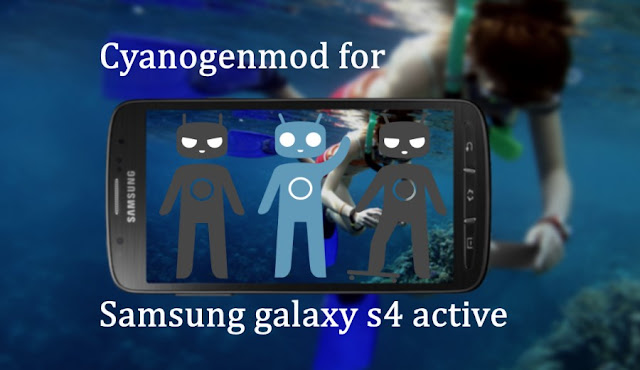

Cyanogenmod is one of the best custom roms available in android development ecosystem.They support lot of devices.This is based on android open source project with lot of added features.IT uses android 5.1.1 lollipop as base for now and will be updated to later versions of android when available.

Though samsung galaxy s4 active I9295 is officially supported by cyanogenmod and we have its last snapshot of lollipop too.
Features:

Though samsung galaxy s4 active I9295 is officially supported by cyanogenmod and we have its last snapshot of lollipop too.
Features:
- Theme engine: Theme engine is from the cyanogenmod custom rom which basically changes the look user interface from lock screen to ring tones all the way up to boot animations.The speciality of the theme engine is the ability to choose individual elements of every theme you have installed.So you like the ring tons and wallpapers of one theme and icons of other theme then you can have them at a time.Just open the theme chooser and you will understand how to do it.

- Performance control:A default CPU manager app to control frequencies and governors . You can adjust cpu frequencies and also set them on boot too.
- Trebuchet: This is the default launcher that ships with cyanogenmod.But if you flash gapps then you might loose this.It doesn't have too many features like nova or other launchers but its simple and fast.
- Software Updates: Cyanogenmod is usually available in three types one s nightlies which gets updated with new features every night and are quite stable for daily usage.second one is the snapchat which is monthly build version which will be stable version and other one is the release candidate.Some times nightlies are considered must stable than the snapshots. As of now we have android lollipop 5.1.1 in form on CM 12.1.
- Status bar Tweaks:Status bar has lot of tweaks which include a brightness slider.Slide in status bar to adjust brightness of the screen.Double tap on status bar to sleep device and also network speed indicator for on going traffic info.
- If you are missing root functionality or all your root apps are not working properly then to developer settings and check if root permissions are set properly.

These are key features of cyanogenmod and you can explore other features by flashing this rom on your samsung galaxy s4 active.
Flash Cyanogenmod Cm 12.1 rom using Twrp recovery:
- Download Cyanogenmod for galaxy s4 active I9295 and Gapps transfer it to sdcard or internal storage of device.
- Power of the device completely.
- Press volume up,power button and home key simultaneously and once you see boot loader screen release buttons.
- Using volume down as a navigation button move to recovery and click on power button to confirm action.
- Once you are in twrp backup existing rom first.It might about 5 minutes for backup to complete.
- Wipe data,cache and dalvik cache.You may not need to wipe system.
- Flash galaxy s4 active rom zip file which you have downloaded and then gapps.
- Reboot to system.Wait for atleast 15 minutes for initial boot to complete and once done you can explore its features.
- If s4 active fails to boot Remove battery and put it back.Reboot it to recovery and this wipe system too and flash them again.
Though this rom is only flashable on galaxy s4 active I9295 and we don't take any responsibility if you brick it while flashing this. By following above procedure you will be able to flash cyanogenmod cm 12.1 on your samsung galaxy s4 active I9295.If you have any other queries please leave a comment below.

Thursday, December 10, 2015
Install lollipop Blisspop custom rom on Motorola atrix hd Mb886
Install Blisspop custom rom on your Motorola atrix hd Mb886 and update it to latest version of android lollipop by flashing blisspop custom rom.Atrix hd is officially supported by blisspop team and good part is that we have lollipop 5.0 rom even though this device officially stuck with andorid jellybean.
This rom is maintained by a xda senior member "Aingaran", a big thanks to him for supporting atrix hd.Before flashing this rom you have to follow some of the foll wing instruction so that you wont harm your device while flashing this rom.
Prerequisites:

About Blisspop custom rom:
This rom is maintained by a xda senior member "Aingaran", a big thanks to him for supporting atrix hd.Before flashing this rom you have to follow some of the foll wing instruction so that you wont harm your device while flashing this rom.
Prerequisites:
- Backup:Backup all your data which includes apps,contacts,photos videos etc everything to computer or any cloud storage as flashing Blisspop ROM on Motorola atrix hd Mb886 will erase all your data.
- Battery: Charge your atrix hd Mb886 to at least 90% so that you wont encounter any battery related issues while flashing this.
- Backup Efs partitions: Backup all your efs partition of your Motorola atrix hd Mb886 on current ROM.If you loose signal you can just restore it back.
- Lock Gps:Lock your gps position on your current rom.If you use this a lot then you have to lock it so that it could work even after flashing other roms. It's easy to lock gps .Turn on gps in settings and find your current location in google maps and now now have locked on to gps.
- Custom recovery: You need a custom recovery like twrp installed on your atrix hd .Without it you can not flash roms at all.
- Downloads: Official Blisspop rom mb886 and google apps. Transfer them to internal storage of your device.

About Blisspop custom rom:
Blisspop custom rom is based on cyanogenmod rom with lot of added features with improved performance and customization.This rom offers all the features that cyanogenmod has to offer and also there are lot of added features from other popular roms too.This rom offer wide range of features from status bar to lock screen. Since this is an official rom all features are working fine and you will receive updates too when ever a new feature is added.
 Features:

- Statusbar tweaks: Status bar tweaks include notification count,network speed indicator,double tap to sleep ,brightness control and weather in status bar header.
- Theme engine: You can change look of your user interface with themes.
- Recents panel tweaks:The recent panel has a button to clear all the tasks and omni switch is present is present as an alternative to traditional recent menu.
- Gesture anywhere:Gesture any where is also available which makes it easy for you to launch apps with gestures instead of returning to home screen and app drawer to launch apps.

- App circle:In addition to this app circle bar is also present which makes it too easy to launch apps with just a swipe from the edge of the screen but floating mode for apps doesn't work at all.
- Soft Navigation controls:You can enable soft keys too if you like them and also set the dimension of the navigation keys and also you can define custom actions.
- Capacitive buttons: hardware keys have an option to adjust back light duration of the button and now you you can do various things with the just home key like accessing a call with just a tap on home key , wake the device and also you can set custom action for double tapping on home key.
- Navigation bar: You can completely disable navigation bar if you don't like or even adjust size of navigation bar.Double tapping on it will put the device to sleep.
- Recents options: You can add memory bar in recents menu and also clear all button too.
- Omni switch: This feature is drawn from omni rom and is an alternative to default recent menu.Once you enable it a floating bubble pops up and when you open it your recent accessed apps with be displayed.You can either access them or clear them.Omni switch is customizable too.

- Power button: Press and hold power button you will have various options including soft boot ,reboot recovery ,screen reorder,air plane mode,screen shot,user switch and lot more,
- Animation control: You can set custom animation for app opening and closing,scrolling up and down.There are lot of animations available to choose from.

- Display and light:This includes live display,adaptive display,rotation mods,wake device on plugging in charger or usb cable,Custom DPI and change font size according to your needs.
- Cyanogenmod Camera app is built in.
- Other mods include audio Fx equilizer,security options,bliss pop ota updates and all standard android features


These are some of the features of Blisspop custom rom for Motorola atrix hd Mb886 and you can explore rest of the features by flashing this custom rom on your device.
Flash Blisspop rom using Twrp/philz recovery:
- Download Blisspop rom atrix hd Mb886 and Gapps transfer it to sdcard or internal storage of device.
- Power of the device completely and wait for 5 seconds to confirm that it is completely off.
- Using button combinations reboot to recovery.
- Once you are in recovery backup existing ROM first.It might about 5 minutes for backup to complete.
- Wipe data,cache and dalvik cache.You may not need to wipe system.
- Flash rom and then gapps.
- Reboot to system.Wait at least 15 minutes for initial boot to complete and once done you can explore rom features.
By following above procedure you will be able to install android lollipop based blisspop custom rom on your Motorola atrix hd Mb886. If you have any queries don't forget to leave a comment and we will respond as quickly as possible.
Subscribe to:
Posts (Atom)