Showing posts with label Motorola. Show all posts
Showing posts with label Motorola. Show all posts
Saturday, December 12, 2015
Motorola Moto G (3rd Generation) Review
Review of Motorola Moto G (3rd Generation) at a Glance:-
The Moto G2 is one of the largest selling Smartphone in India in 2014 now in this series the Motorola launches next generation of Moto G with loaded with features like 13 MP camera, 5 Inches display, Corning Gorilla Glass 3 protection, 4G LTE Support, Dual SIM and 2470 mAh battery.
Motorola doesn’t change its design from its previous generation G series Smartphone , The textured back is abrasive looks nice and provides enough friction for better grip saves phone from accidental slippery from hand. It seems like handset has 2 Speakers but top is for voice calls only the bottom front facing loudspeaker works.
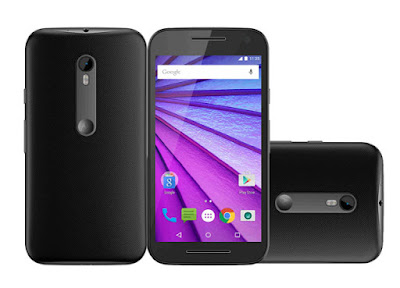

Back cover is removable but the battery is sealed to maintain its water resistance potential. Phone is designed in way that can withstand in fresh water immersion up to 3 feet for up to 30 minutes.
The 5.0 inches screen has 720 x 1280 pixels (HD) display resolution with 294 ppi display density which produces good image colouration but we expected Full HD 1080 display with more ppi so user can take much better experience. The image brightness seems slightly less but its sunlight visibility is fine.
13 MP cameras has Sony IMX214 sensor captures Great outdoor photographs but in low light condition pictures suffered from noisy image. The 5 MP front camera is quite good for the selfie enthusiast people.
Qualcomm MSM8916 Snapdragon 410 works quite well along with 2 GB and Adreno 306 GPU, it runs Asphalt 8 smoothly, device does not have hanging and heating issue.
The 2470 mAh battery is sufficient to make it awake for more than 24 hours in moderate use
Specification of Motorola Moto G (3rd Generation)
Operating System
OS- Android
OS Version- v5.1.1 (Lollipop)
Chipset
CPU- Qualcomm MSM8916 Snapdragon 410
Clock Speed- 1.4 GHz Cortex-A53
Core- Quad-core
GPU- Adreno 306
Screen and Display
Type- IPS LCD capacitive touchscreen
Size- 5.0 inches
Display Resolution- 720 x 1280 pixels
Display Reinforced- Corning Gorilla Glass 3
Display Density- 294 ppi
Camera
Rear- 13 MP
Front- 5 MP
Max. Video Resolution- 1080p
Max Video Frames- 30fps
Form and Dimension
Phone Dimension- 142.1 x 72.4 x 11.6 mm
Form- Bar
Weight- 155 grams
Data Connection and Connectivity
4G- LTE (1, 3, 7, 8, 28,40)
3G- Yes
Bluetooth- v4.0
WiFi- 802.11 b/g/n
Headphone Jack
Sensors
Proximity- Yes
Accelerometer- Yes
Light- Yes
Gyroscope-
Memory and RAM
Internal (ROM)- 16 GB
External (SD)- 32 GB
RAM- 2 GB
SIM
SIM Type-Micro SIM
SIM Support- Dual Sim
Battery
Capacity- 2470 mAh
Stand By-
Talktime- 24 hours (Combined test Use)
Phone’s Available Colour- Black & White
Pros of Motorola Moto G (3rd Generation)
- Water resistant up to 3 feet in fresh water for up to 30 minutes.
- OTG cable is supported.
- Supports 4G.
- The slow motion Videography is also available in 720p Resolution.
- The 2470 mAh battery is quite good.
- Display protected with Corning® Gorilla(TM) Glass 3.
Cons of Motorola Moto G (3rd Generation)
- It doesn't have a removable battery.
- The sound quality of earphone may disappoint you.
- It doesn't have notification light.
- No NFC.
Solution of Problems in Motorola Moto G (3rd Generation)
Camera Quality-
Use 3rd party apps Such as Camera360
Why to buy and Final words about Motorola Moto G (3rd Generation)
After analysing this Smartphone we don’t found anything that can make a customer change his mood for buying Moto G3 Smartphone under 13K INR price range. Apart from the cons mentioned above the phone is curved ranges thickness from 6.1mm to 11.6mm with 155 gram weight. We have pointed nearly all major advantages and disadvantages of this smartphone now choice is yours.
PS- Not designed to work while submerged underwater. Do not use while swimming, or subject it to pressurised streams of water. Not dust-proof.
Price- 12,999 INR

Friday, December 11, 2015
Install Cyanogenmod 13 rom on Motorola Moto G 2014 aka titan
Motorola has promised to update the second Generation Moto G device to latest version of android which is android 6.0 aka marshmallow.But it might take some more time before the official marshmallow updates reaches to each and every Moto g titan.
But if you are one of those guys who like to play with their android devices by modifying then to suit their needs then you must have already unlocked its bootloader, rooted it and might have running a custom flavour of android on it.
Since this is a developer friendly device there are quite a number of custom roms already available but most of them still uses android lollipop as a base.Though slowly they might shift their base to android marshmallow ,you will definitely look into cyanogenmod rom at least once.
Good news is that Cyanogenmod's next big update is already available for public that is cyanogenmod 13 or cm 13.Since is an official one every work as expected and you might some bugs here and there which can be neglected.
If this is your first time flashing a custom rom on your Motorola moto g 2014 aka titan then I have to tell you one thing before going further.I am not at all responsible if your titan fails to boot after flashing this rom.So proceed at your own risk.
Before going further:
About Cm 13 custom rom:
Cm 13 is the latest version of cyanogenmod's major release which uses android marshmallow as a base with all the custom features of cyanognemod.Though some of the features are missing, ultimately they will make a way to cm 13 but it might take some time. All features of open source android are inherited in this rom and i have listed all the possible features of the same below which you can look into if you like.
Features of cyanogenmod 13:
Must read: Best custom roms for Moto G 2014 titan
But if you are one of those guys who like to play with their android devices by modifying then to suit their needs then you must have already unlocked its bootloader, rooted it and might have running a custom flavour of android on it.
Since this is a developer friendly device there are quite a number of custom roms already available but most of them still uses android lollipop as a base.Though slowly they might shift their base to android marshmallow ,you will definitely look into cyanogenmod rom at least once.
Good news is that Cyanogenmod's next big update is already available for public that is cyanogenmod 13 or cm 13.Since is an official one every work as expected and you might some bugs here and there which can be neglected.
If this is your first time flashing a custom rom on your Motorola moto g 2014 aka titan then I have to tell you one thing before going further.I am not at all responsible if your titan fails to boot after flashing this rom.So proceed at your own risk.
Before going further:
- Check your device model number and make sure that you are using only the titan codenamed device.Since there are lot of variants of this device flashing on other variants might brick the device.
- Backup:Backup all your data which includes apps,contacts,photos videos etc everything to computer or any cloud storage as Updating /flashing android marshmallow on moto g 2014 aka titan will erase all the data.
- Battery: Charge your moto g 2014 aka titan to at least 90% so that you wont encounter any battery related issues while flashing this.
- You need to have an unlocked bootloader to flash this rom.
- Backup Efs partitions: Backup all your efs partition of your Moto g second gen on current ROM.If you loose signal you can just restore it back.
- Lock Gps: Lock your gps position on your current rom.If you use this a lot then you have to lock it so that it could work even after flashing other roms. It's easy to lock gps .Turn on gps in settings and find your current location in google maps and now now have locked on to gps.
- Custom recovery: You need a custom recovery like twrp installed on your moto g titan .Without it you can not flash roms at all.
- Downloads: Cm13 for moto g titan and google apps. Transfer them to internal storage of your device.
Cyanogenmod 13 rom on Motorola Moto G 2014 aka titan:
 |
| Install Cyanogenmod 13 rom on Motorola Moto G 2014 aka titan |
Cm 13 is the latest version of cyanogenmod's major release which uses android marshmallow as a base with all the custom features of cyanognemod.Though some of the features are missing, ultimately they will make a way to cm 13 but it might take some time. All features of open source android are inherited in this rom and i have listed all the possible features of the same below which you can look into if you like.
Features of cyanogenmod 13:
- Theme engine: Theme engine is from the cyanogenmod custom rom which basically changes the look user interface from lock screen to ring tones all the way up to boot animations.The speciality of the theme engine is the ability to choose individual elements of every theme you have installed.So you like the ring tons and wallpapers of one theme and icons of other theme then you can have them at a time.Just open the theme chooser and you will understand how to do it.
- Software Updates: Cyanogenmod rom is usually available in three types one is nightlies which gets updated with new features every night and are quite stable for daily usage.second one is the snapchat which is monthly build version which will be stable version and other one is the release candidate.Some times nightlies are considered must stable than the snapshots.
- Status bar Tweaks:Status bar has lot of tweaks which include a brightness slider.Slide in status bar to adjust brightness of the screen.Double tap on status bar to sleep device and also network speed indicator for on going traffic info.
- If you root apps don't work then that is no response form super user it means it has been disabled and you can enable it in developer options easily.
- System ui tuner: This is new feature that let you tweak ui a bit but has been hidden just like developer option.If you want to add it to setting app,swipe down the notification panel and on top you will notice a gear icon.Press and hold it and you will notice that it starts spinning.Just leave it once you notice the vigorous spin and you will see a toast message "system ui tuner" added to settings.
- There are ton of brand new wallpapers.
- Google launcher now has vertical scrolling instead of horizontal.
- Multi window: Google finally introduced multi window concept in tablet version of os.You can run two apps in a single window.Activating multi window is also too easy.When you open recents you will notice there is another option beside the closing button on cards.Press on it and activate multi window.But this multi window is not configurable which means adjust width of apps that are running.
- Auto rotation on home screen is also added which you can find in launcher settings.
- Now on tap: If you use google now frequently this feature might help you a lot.Usually when you press and hold on home button it will take you to google now.If you enable this feature when you try to access google now on any app it load some related suggestions along with some google now card.
- Screen shot notification will also have delete button along with share option.
- Memory option: This is available in settings .It gives you memory usage on your device from last "3hrs or 6 hrs or 1 day".
- App permission manger is the major thing in android m.This lets you to block certain permission so that the app cannot access them.like if you don't want facebook to access your bluetooth you can now do it with out rooting your device.
- Phone short cut on lock screen is replaced with google now.
- Search bar in settings menu.
- New volume panel: You can now adjust volume of media, call and notification from single window .This feature is absent in previous versions of android though present in most of the oem provided firmwares.
These are the features of cyanogenmod 13 custom rom for moto g second gen aka titan and you explore the same by flashing this rom your device.
Install Cm 13 rom using twrp recovery:
- Download Cyaogennmod 13 custom rom for titan and Gapps transfer it to sdcard or internal storage of device.
- Power of the device completely and wait for few seconds to confirm that it is off completely.
- Press volume up,power button and Volume down simultaneously and once you see boot loader screen release buttons.
- Using volume down as a navigation button move to recovery and click on Volume up to confirm action.
- Moto g Titan boots into Twrp recovery.
- Once you are in twrp click on backup and select all the partitions which you want to backup. . It might take about 5 minutes for backup to complete. Don't interrupt backup process.
- Once backup of your existing rom is completed click on back button.Wipe data,cache and dalvik cache and wipe system partition too.
- Now select Install and navigate to location where you have placed your cm 13 Rom and gapps zip files.
- Flashing rom might take about 5 minutes or so.Once flashing is complete do a factory reset again.
- Now reboot to system.Wait at least 15 minutes for initial boot to complete and once done you can explore rom features.
Must read: Best custom roms for Moto G 2014 titan
Flash Cm 13 custom rom on moto g titan using cwm recovery:
- Download Cyaogennmod 13 custom rom for moto g titan and Gapps transfer it to sdcard or internal storage of device.
- Power of the device completely and wait for few seconds to confirm that it is off completely.
- Press volume up,power button simultaneously and once you see boot loader screen release buttons.
- Using volume down as a navigation button move to recovery and click on Volume up to confirm action.
- Moto g titan boots into cwm recovery.
- Once you are in CWM click on backup and select all the partitions which you want to backup. . It might take about 10 minutes for backup to complete. Don't interrupt backup process.
- Once backup of your existing rom is completed click on back button.Wipe data,cache and dalvik cache and wipe system partition too.
- Now select Install and navigate to location where you have placed your cm 13 Rom and gapps zip files.
- Flashing rom might take about 5 minutes or so.Once flashing is complete do a factory reset again.
If rom fails to boot or if it has entered bootloop then you have to boot into recovery to restore backup but to boot into recovery u have to power it off completely by removing batter.But moto g 2014 has a non-removable battery.At this point of time you have to force it to go off completely by holding power button for about 15 seconds and once the screen goes blank leave the power button else device restarts.
If you have any other queries about installing cyanogenmod 13 custom rom on Motorola mot g seconds gen aka titan do leave a comment below.
Update Motorola Moto E condor to android marshmallow using cyanogenmod 13 custom rom
Motorola has promised to support moto e for at least two android releases and as said they have updated it to android lollipop 5.1.1 but as you know before the clock ticked the second minute there is another major release from google and since this android 6.0 being a huge update Motorola wont release it for moto e due to hardware limitation.
But being a developer friendly device Motorola moto e first gen has seen lot of love from developers community.As a result there are lot of custom roms for Motorola moto e condor.Some roms were completely focused on customization while other focused on pure performance and all roms offered latest android version as a base.
And now there is an unofficial version of android marshmallow which uses cyanogenmod as a base is already available and good part is that it is stable to be used as a daily driver.So if you wish to update your Motorola moto e condor that is first gen to android marshmallow do follow the guide completely.
But as you know updating moto e condor through third party firmware is a risky process and there is chance of bricking the device if anything is gone wrong so you have take your own risk which basically means we or developers and even your pet is not at all responsible for any kind of damages.
Before going further:
About Cyanogenmod custom rom:
This is one of the best custom rom that you can get in android development market.It comes with lot of added features which improved device customization and performance.This rom which you get here for moto e first gen is stable and you can still try it on our device without any hesitation.If you don't know the features of the same do check it out.
This rom is compiled by xda senior member "ashwin007" ,a big thanks to him for bringing this amazing custom rom for this device.
Features of cyanogenmod 13:
If you have any other queries about updating Motorola moto e condor (first generation ) to android marshmallow then do leave a comment below.
But being a developer friendly device Motorola moto e first gen has seen lot of love from developers community.As a result there are lot of custom roms for Motorola moto e condor.Some roms were completely focused on customization while other focused on pure performance and all roms offered latest android version as a base.
And now there is an unofficial version of android marshmallow which uses cyanogenmod as a base is already available and good part is that it is stable to be used as a daily driver.So if you wish to update your Motorola moto e condor that is first gen to android marshmallow do follow the guide completely.
But as you know updating moto e condor through third party firmware is a risky process and there is chance of bricking the device if anything is gone wrong so you have take your own risk which basically means we or developers and even your pet is not at all responsible for any kind of damages.
Before going further:
- Backup:Backup all your data which includes apps,contacts,photos videos etc everything to computer or any cloud storage as Updating it to android marshmallow will erase all the data.
- Battery: Charge your moto e condor to at least 90% so that you wont encounter any battery related issues while flashing this.
- You need to have an unlocked bootloader to flash this rom.
- Backup Efs partitions: Backup all your efs partition of your Mote e first gen on current ROM.If you loose signal you can just restore it back.
- Lock Gps: Lock your gps position on your current rom.If you use this a lot then you have to lock it so that it could work even after flashing other roms. It's easy to lock gps .Turn on gps in settings and find your current location in google maps and now now have locked on to gps.
- Custom recovery: You need a custom recovery like twrp installed on your moto e .Without it you can not flash roms at all.
- Downloads: Cm13 for moto e (android filehost) and google apps. Transfer them to internal storage of your device.
Update moto e condor to marshmallow using Cm 13 rom:
 |
| Update moto e condor to marshmallow using Cm 13 rom |
This is one of the best custom rom that you can get in android development market.It comes with lot of added features which improved device customization and performance.This rom which you get here for moto e first gen is stable and you can still try it on our device without any hesitation.If you don't know the features of the same do check it out.
This rom is compiled by xda senior member "ashwin007" ,a big thanks to him for bringing this amazing custom rom for this device.
Features of cyanogenmod 13:
- Theme engine: Theme engine is from the cyanogenmod custom rom which basically changes the look user interface from lock screen to ring tones all the way up to boot animations.The speciality of the theme engine is the ability to choose individual elements of every theme you have installed.So you like the ring tons and wallpapers of one theme and icons of other theme then you can have them at a time.Just open the theme chooser and you will understand how to do it.
- Software Updates: Cyanogenmod rom is usually available in three types one is nightlies which gets updated with new features every night and are quite stable for daily usage.second one is the snapchat which is monthly build version which will be stable version and other one is the release candidate.Some times nightlies are considered must stable than the snapshots.
- Status bar Tweaks:Status bar has lot of tweaks which include a brightness slider.Slide in status bar to adjust brightness of the screen.Double tap on status bar to sleep device and also network speed indicator for on going traffic info.
- If you root apps dont work then that is no response form super user it means it has been disabled and you can enable it in developer options easily.
- System ui tuner: This is new feature that let you tweak ui a bit but has been hidden just like developer option.If you want to add it to setting app,swipe down the notification panel and on top you will notice a gear icon.Press and hold it and you will notice that it starts spinning.Just leave it once you notice the vigorous spin and you will see a toast message "system ui tuner" added to settings.
- There are ton of brand new wallpapers.
- Google launcher now has vertical scrolling instead of horizontal.
- Multi window: Google finally introduced multi window concept in tablet version of os.You can run two apps in a single window.Activating multi window is also too easy.When you open recents you will notice there is another option beside the closing button on cards.Press on it and activate multi window.But this multi window is not configurable which means adjust width of apps that are running.
- Phone short cut on lock screen is replaced with google now.
- Search bar in settings menu.
- New volume panel: You can now adjust volume of media, call and notification from single window .This feature is absent in previous versions of android though present in most of the oem provided firmwares.
- Auto rotation on home screen is also added which you can find in launcher settings.
- Now on tap: If you use google now frequently this feature might help you a lot.Usually when you press and hold on home button it will take you to google now.If you enable this feature when you try to access google now on any app it load some related suggestions along with some google now card.
- Screen shot notification will also have delete button along with share option.
- Memory option: This is available in settings .It gives you memory usage on your device from last "3hrs or 6 hrs or 1 day".
- App permission manger is the major thing in android m.This lets you to block certain permission so that the app cannot access them.like if you don't want facebook to access your bluetooth you can now do it with out rooting your device.
If you are flashing a custom rom on your moto e for the first time then for updating it to android marshmallow there are three essential steps which are mentioned below.
- Unlock bootloader of moto e.
- Flash a custom recovery like twrp or cwm.
- Flash cyanogenmod 13 custom rom through recovery.
Since most of you guys have already unlocked bootloader and installed a custom recovery we are discussing about first two steps here.But if you want them to be included then do leave comment below.
Flash Cm 13 on moto e using Twrp recovery:
- Download Cyaogennmod 13 custom rom (cm-13.0-20151113-UNOFFICIAL-condor.zip)and Gapps transfer it to sdcard or internal storage of device.
- Power of the device completely and wait for few seconds to confirm that it is off completely.
- Press volume up,power button and Volume down simultaneously and once you see boot loader screen release buttons.
- Using volume down as a navigation button move to recovery and click on Volume up to confirm action.
- Moto e condor boots into Twrp recovery.
- Once you are in twrp click on backup and select all the partitions which you want to backup. . It might take about 5 minutes for backup to complete. Don't interrupt backup process.
- Once backup of your existing rom is completed click on back button.Wipe data,cache and dalvik cache and wipe system partition too.
- Now select Install and navigate to location where you have placed your cm 13 Rom and gapps zip files.
- Flashing rom might take about 5 minutes or so.Once flashing is complete do a factory reset again.
- Now reboot to system.Wait at least 15 minutes for initial boot to complete and once done you can explore rom features.
If you have any other queries about updating Motorola moto e condor (first generation ) to android marshmallow then do leave a comment below.
Lollipop custom roms for motorola moto g 2nd gen titan
Motorola moto g 2014 (2nd gen) aka titan was released with kitkat on board and we have seen lot of kitkat based Roms for this device.Most of these roms are already updated to lollipop and its time for you to try all these lollipop roms before android M kicks in.
If are unable to find lollipop based roms for moto g 2nd gen don't worry here we present you the list of all best lollipop based custom roms for titan with all their features.
In case if you don't know device code name for Motorola moto g 2014 is "titan".
Lollipop custom roms for moto g 2nd gen titan:
 Features of Euphoria os:
download euphoria os rom for moto g titan
 Features:
Features:
 Features:
 Features of this rom:
Download resurrection remix rom moto g 2014
These are best lollipop custom roms for Motorola moto g 2014 aka titan.There are some other roms too which you have try for sure but most other roms will have all these features which are mentioned above.If you want any other custom rom to be listed above please let us know by commenting below.
If are unable to find lollipop based roms for moto g 2nd gen don't worry here we present you the list of all best lollipop based custom roms for titan with all their features.
In case if you don't know device code name for Motorola moto g 2014 is "titan".
Lollipop custom roms for moto g 2nd gen titan: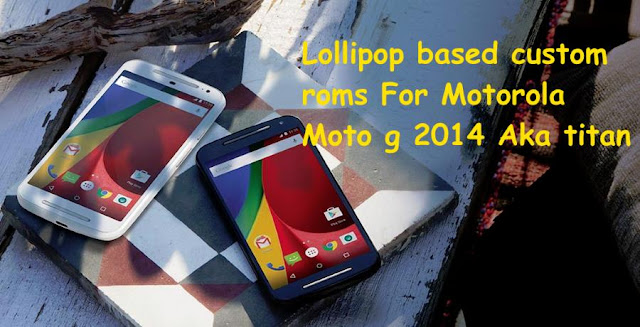

1.Paranoid android for titan:
Paranoid android is a custom firmware based on android open source project with lot of unique features over other custom roms.Some features of cyanogenomd are also present in this too.Paranoid android lollipop based rom lacks lot of features which the kitkat based one offers.Every thing works smooth on motorola moto g 2014.
 Features:
Download paranoid android rom for moto g 2014 titan

- Theme engine: This feature is adopted from the highly popular custom rom,Cyanogenmod. Allows you to change the themes of user interface with out any need of special mods. There are lot of themes in playstore which you can download and customize it.This theme engine supports icon apps too.So if you download any icon's app you can apply them using this theme engine instead of launcher.
- Display sleep options: Double tapping on status bar or lockscreen ring will the device to sleep.
- You can launch music app when a head set is connected.
- Button actions: You can set custom actions for buttons .Like long press the back button to kill recent app.
- App ops: Manage permissions of apps using app ops.
- Audio Fx: This a audio equilizer which is present by default.
- Pie control: If you have on screen button then this feature will save you lot of screen.It is an alternative to navigation key with lot of features.Hide you navigation keys and enable pie.Swiping from edges of screen will revel pie control which will all navigation keys along with date and time,battery percentage.
2.Euphoria os rom for moto g 2014:
Euphoria os is and after market firmware based on android open source project.You will get latest android version with this rom.It comes with lot of added features over pure aosp Rom.Flash this on moto g 2014 and enjoy its features.
- Theme engine: It comes with a cyanogenmod mod theme engine so you can play with lot of themes.This is a great way of customizing your android device. You can theme each and every element of user interface all the way from wallpapers to boot animations.There are lot of themes available in playstore and some are premium too.
- Heads up notification: This notification system is similar to that in google's one.Swipe left to dismiss notification and right to put it in background.Swiping down on it will open notification drawer and it merges in it.
- Wake options: Depending on the device you will have double tap to wake the device option in display settings and of course you have the option to put the device into sleep by double tapping on status bar.There is a option to wake phone after connecting charger.
- Animations: You can have custom animations for app opening and closing or while scrolling.
- Navigation: Besides device wake options you can even adjust dimensions of navigation bar and set custom actions too like long pressing back button to kill recent app.In landscape mode navigation goes left hand side and yeah there is an option to disable this too if you don't like it.
- Security: Privacy guard is available in this Rom along with blacklisting of calls and messages.
- Sound: AudioFx is available for better quality of music.Other features include increasing volume ring tone,profiles,less notifications,you can disable volume adjustable sound,separate ring tones and notifications volume as usual.
- Power: Advance reboot option is enabled by default so you can boot into recovery,fast boot,soft boot easily.
- Screen recorder: There is screen recorder option too in display settings to record your actions on your device.
- Quick settings panel is customizable and brightness control too is available.
These are noticeable features of euphoria OS Rom and there are lot of other features too which you can explore on your own by flashing this custom Rom on your moto g 2014.
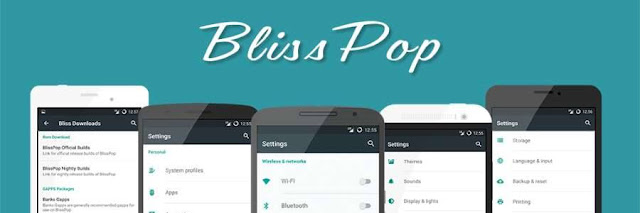
3.Blisspop for moto g 2nd gen:
Blisspop custom rom is based on cyanogenmod 12.1 rom with lot of added features with improved performance and customization.This rom offers all the features that cyanogenmod 12 has to offer and also there are lot of added features from other popular roms too.This rom offer wide range of features from status bar to lock screen.Moto g titan is officially supported so you can flash it right away on your motorola moto g 2014.
- Statusbar tweaks: Status bar tweaks include notification count,network speed indicator,double tap to sleep ,brightness control and weather in status bar header.
- Recents panel tweaks:The recent panel has a button to clear all the tasks and omni switch is present is present as an alternative to traditional recent menu.
- Gesture anywhere:Gesture any where is also available which makes it easy for you to launch apps with gestures instead of returning to home screen and app drawer to launch apps.
- App circle:In addition to this app circle bar is also present which makes it too easy to launch apps with just a swipe from the edge of the screen.
- Soft Navigation controls:You can enable soft keys too if you like them and also set the dimension of the navigation keys and also you can define custom actions.
- Capacitive buttons: hardware keys have an option to adjust back light duration of the button and now you you can do various things with the just home key like accessing a call with just a tap on home key , wake the device and also you can set custom action for double tapping on home key.
- Power button: Press and hold power button you will have various options including soft boot ,reboot recovery ,screen reorder,air plane mode,screen shot,user switch and lot more,
- Animation control: You can set custom animation for app opening and closing,scrolling up and down.There are lot of animations available to choose from.
- Display and light:This includes live display,adaptive display,rotation mods,wake device on plugging in charger or usb cable,Custom DPI and change font size according to your needs.
- Cyanogenmod Camera app is built in.
- Other mods include audio Fx equilizer,security options,bliss pop ota updates and all standard android features.
4.Carbon rom for titan:
Carbon rom is an aftermarket firmware based on cyanogenmod and android open source project.They aim at providing stable,fast and feature filled custom roms to their users.Since this rom is based on cyanogenmod all features will be inherited in this rom along with some random cherry pics from other custom roms.All the features of carbon rom are grouped in one tab called carbon fibres.All feaure are working great on motorola moto g 2014.Features:
- Theme engine: Developed by cyanogenmod is a wonderful engine to theme your android os from icons to boot animations.You can choose from a variety of themes and even apply individual elements of one theme over other themes too.This might remind you of miui theming engine.
- Animations: You can set different animations for app closing and openings.There are lot of scrolling animations too which put smile on your face while using them.These animation are cool but might hinder experience if you choose wrong one.
- Sounds: You can disable camera shutter and screen shot sounds.Increase volume in steps and volume down is lowered to a stable one when a headset is connected.
- Status bar: All the icons on status bar that is battery,signal and date are completely customizable. A Double on status bar will put the device to sleep.Brightness control can be enabled or disabled.
- Network speed: On going network speed is displayed on status bar.Both upload and download speed are displayed and you can adjust time interval.
- Carrier label: Carrier label can be displayed on status bar which is displayed on to left of it and you set a custom carrier label too.
- Buttons: Enable or completely disable navigation bar to increase screen real estate.Navigation bar is completely configurable.You can set custom actions for each buttons too.Double tapping on navigation bar too will put the device to sleep.If you device have hardware keys then there is an option to enable or disable button back light.You can end call by pressing power button and answer call by pressing home button. Volume buttons can be used to wake up the device instead of power button. Button layout too is customizable.
- Pie control: This makes navigation easy if you are habituated to it.If you disable on screen buttons then pie control can be used to navigate.Swiping from edges of screen will trigger pie and you will have all navigation required options in there.You can adjust size,color and trigger options of pie too.
- Power menu: Advance reboot option is available which includes reboot to recovery or bootloader at any time.
- Gesture any where: This lets you to launch apps or any custom actions with a gesture any moment.
- App circle bar: If you enable this swiping from left or right will open a bar with apps in it.This makes it easy to launch your favourite apps from anywhere.
- Super user: Super user in integrated into device settings so no need of any special root apps for permission management.
5.Cyanogenmod 12.1 rom for moto g :
Cyanogenmod is one of the best custom roms available in android development ecosystem.They support lot of devices.This rom is based on android open source project with lot of added features.Cm 12.1 is android lollipop 5.1.1 based rom and if officially supported.
- Theme engine: Theme engine is from the cyanogenmod custom rom which basically changes the look user interface from lock screen to ring tones all the way up to boot animations.The speciality of the theme engine is the ability to choose individual elements of every theme you have installed.So you like the ring tons and wallpapers of one theme and icons of other theme then you can have them at a time.Just open the theme chooser and you will understand how to do it.
- Performance control:A default cpu manager app to control frequencies and governors.You can adjust cpu frequencies and also set them on boot too.
- Trebuchet: This is the default launcher that ships with cyanogenmod rom.But if you flash gapps then you might loose this.It doesn't have too many features like nova or other launchers but its simple and fast.
- Software Updates: Cyanogenmod rom is usually available in three types one is nightlies which gets updated with new features every night and are quite stable for daily usage.second one is the snapchat which is monthly build version which will be stable version and other one is the release candidate.Some times nightlies are considered must stable than the snapshots.
- Status bar Tweaks:Status bar has lot of tweaks which include a brightness slider.Slide in status bar to adjust brightness of the screen.Double tap on status bar to sleep device and also network speed indicator for on going traffic info.
6.Pacman rom for moto g 2014:
Pacman is wonderful rom with all features of cyanogenmod,aokp,paranoid android,slim and other custom roms.If you want all the features of your favourite aosp based custom rom in one then pacman rom is for you.


Features:
- Theme engine: Theme engine of cyanogenmod is included so you change themes and customize ui on the go.There are lot of free themes which you can download them from playstore itself.
- Animations: If you are bored with system or user interface animation you can change them too.List view animations can also be changes and it works in all apps.You can even set animations for toast messages too.
- Gesture any where: This lets you to open any app with just a gesture.You have to enable this option and set trigger positions and use this at any time.
- Gesture lock: In general lock screen security includes either a pin ,password, pattern or face lock.This is a new un locking method with just a gesture.You have to draw a gesture in lock screen area to unlock it.
- Lock screen mods: Battery bar will appear on unlock ring and double tapping on un lock ring will put the device to sleep.You can even set custom apps on lock screen too.
- Double tap on status bar will put the device to sleep.
- Expanded desktop: You can enable expanded desktop mode for all app or chose only specific apps to be able to run in expanded mode.
- App circle bar: swiping from left or right will open app circle bar in which you can place your favourite apps and can access them at any time with just a swipe.
- Button actions: Enable or disable navigation keys and set custom actions too.If your device supports hardware keys then you can set back light time too.
- Notification drawer: Adjust quick tiles and arrange them according to your needs.weather can be displayed on notification panel too only when it is pulled down.If you don't brightness slider in notification panel you can disable it too.
- status bar: All icons on status bar are customizable.Network speed monitor is also available to get ongoing traffic info.Sliding across status bar will adjust brightness.
Download Pacman rom for moto g 2014 titan
7.Resurrection remix rom for moto g 2014:
This Resurrection remix rom which your are about to flash on Motorola moto g 2014 is based on android 5.1.1 lollipop and is based on cyanogenmod,slim,omni and original remix roms.So you can all the best features of other roms are included in this rom along with performance and a decent battery life.
- Navigation bar tweaks: You can enable disable or navigation bar and also you can adjust the size of navigation bar.Navigation ring included toggles to in case of quick access just swipe from bottom of screen and you can access apps which you have set.
- Status bar tweaks: Status bar has lot of tweaks which include a brightness slider.Slide in status bar to adjust brightness of the screen.Various tweaks are available to carrier label too like color and switch.Quick and smart pull down are also present.Battery icon too has tweaks.
- Gesture anywhere: This basically lets to open any app at any time(while using other apps) with just a gesture.You have to set the gestures and use them.
- Recent panel mods: Stock recent panel do not have an option to clear all the apps at once.In this rom you a button to clear apps and can even set the position of the button.
- App circle Bar:Swiping from the left or right edges of the screen an app bar pops up and you can choose what app you want to launch.This is great way of multitasking.
- Lock screen mods: This includes placing of 5 shortcuts on lock screen and also set targets for the slider.
- Theme enigne: Theme engine is from the cyanogenmod custom rom which basically changes the look user interface from lock screen to ring tones all the way up to boot animations.The speciality of the theme engine is the ability to choose individual elements of every theme you have installed.So you like the ring tones and wallpapers of one theme and icons of other theme then you can have them at a time.Just open the theme chooser and you will understand how to do it.
These are some of the features of rr rom and you can explore rest of the features by flashing this rom on motorola moto g 2014 aka titan.
Download resurrection remix rom moto g 2014
These are best lollipop custom roms for Motorola moto g 2014 aka titan.There are some other roms too which you have try for sure but most other roms will have all these features which are mentioned above.If you want any other custom rom to be listed above please let us know by commenting below.
Install Cyanogenmod (cm 12.1) custom rom on Motorola moto g 2014 titan
Motorola moto g 2014 titan has official support form cyanogenmod custom rom team and you can now flash it on your moto g and update it latest version of android.There are very less lollipop custom roms available for motorola moto g 2014 2nd gen aka titan.
About Motorola Moto g 2014: It comes with a 5 inch hd display with corning gorilla glass 3 protection layer.Under the hood there is a snapdragon 400 processor clocked at 1.2ghz which is supported by 1 gb of ram with 16 gb internal storage.This time Motorola also provided microsd extension slot too which its predecessor lacked.Primary camera on this device has a 8mp sensors while secondary camera has a 2mp sensor.Finally it is powered by a non removable 2070 mah battery . Though Motorola update this device to android lollipop you still have to wait for android 5.1.
 Cyanogenmod rom :Cyanogenmod is one of the best custom Roms available in android development ecosystem.They support lot of devices.This Rom is based on android open source project with lot of added features.Motorola moto e 2014 titan is officially supported so you can flash this right away with out any hesitation.
 Features:
By following above procedure you will be enjoying android lollipop based Cyanogenmod Cm 12.1 custom Rom on Motorola Moto G 2014 titan.Since Rom is officially supported by Cyanogenmod Cm 12.1 team you will get latest updates and bug fixes quickly.
About Motorola Moto g 2014: It comes with a 5 inch hd display with corning gorilla glass 3 protection layer.Under the hood there is a snapdragon 400 processor clocked at 1.2ghz which is supported by 1 gb of ram with 16 gb internal storage.This time Motorola also provided microsd extension slot too which its predecessor lacked.Primary camera on this device has a 8mp sensors while secondary camera has a 2mp sensor.Finally it is powered by a non removable 2070 mah battery . Though Motorola update this device to android lollipop you still have to wait for android 5.1.
Install cyanogenmod cm 12.1 custom rom on motorola moto g 2014 titan:


- Theme engine: Theme engine is from the cyanogenmod custom rom which basically changes the look user interface from lock screen to ring tones all the way up to boot animations.The speciality of the theme engine is the ability to choose individual elements of every theme you have installed.So you like the ring tons and wallpapers of one theme and icons of other theme then you can have them at a time.Just open the theme chooser and you will understand how to do it.
- Performance control:A default cpu manager app to control frequencies and governors.You can adjust cpu frequencies and also set them on boot too.
- Trebuchet: This is the default launcher that ships with cyanogenmod rom.But if you flash gapps then you might loose this.It doesn't have too many features like nova or other launchers but its simple and fast.
- Software Updates: Cyanogenmod rom is usually available in three types one is nightlies which gets updated with new features every night and are quite stable for daily usage.second one is the snapchat which is monthly build version which will be stable version and other one is the release candidate.Some times nightlies are considered must stable than the snapshots.
- Status bar Tweaks:Status bar has lot of tweaks which include a brightness slider.Slide in status bar to adjust brightness of the screen.Double tap on status bar to sleep device and also network speed indicator for on going traffic info.
These are some of the features of cyanogenmod and you explore rest of the features by flashing this custom rom on your motorola moto g 2nd gen aka titan.
prerequisites:- Backup:Backup all your data which includes apps,contacts,photos videos etc everything to computer or any cloud storage as flashing Cyanogenmod Cm 12.1 custom ROM on Motorola moto G 2014 aka titan will erase all your data.
- Battery: Charge your Mote G 2014 titan to at least 90% so that you wont encounter any battery related issues while flashing this.
- Backup Efs partitions: Backup all your efs partition of your Moto G on current ROM.If you loose signal you can just restore it back.
- Lock Gps:Lock your gps position on your current rom.If you use this a lot then you have to lock it so that it could work even after flashing other roms. It's easy to lock gps .Turn on gps in settings and find your current location in google maps and now now have locked on to gps.
- Custom recovery: You need a custom recovery like twrp installed on your Moto G 2014 .Without it you can not flash Roms at all.
- Downloads: official Cyanogenmod Cm 12.1 rom titan and google apps.Transfer them to internal storage of your device.
Flash Cyanogenmod Cm 12.1 rom using Twrp recovery:
- Download Cyanogenmod Cm 12.1 custom rom and Gapps transfer it to sdcard or internal storage of device.
- Power of the device completely and wait for few seconds to confirm that it is off completely.
- Press volume up,power button and Volume down simultaneously and once you see boot loader screen release buttons.
- Using volume down as a navigation button move to recovery and click on Volume up to confirm action.
- Moto G boots into Twrp recovery.
- Once you are in twrp click on backup and select all the partitions which you want to backup. . It might take about 5 minutes for backup to complete. Don't interrupt backup process.
- Once backup of your existing rom is completed click on back button.Wipe data,cache and dalvik cache and wipe system parition too.
- Now select Install and navigate to location where you have placed your Cyanogenmod Cm 12.1 Rom and gapps zip files.
- Flashing rom might take about 5 minutes or so.Once flashing is complete do a factory reset again.
- Now reboot to system.Wait at least 15 minutes for initial boot to complete and once done you can explore ROM features.
Since battery is non removable if you experience boot loop or soft bricked it then press and hold power button for about 15 seconds device force shutdowns.Now Using volume button combinations boot into recovery and restore backup which you have made earlier.
Install render kernel on Motorola moto X 2014 Victara
Install render kernel on Motorola moto X 2014 Victara for improved performance.Motorola moto x 2014 is the flagship from Motorola with high end specs unlike the predecessor which had mid range specs though it was a flagship device.IF you take a look at the specification the device comes with a snapdragon 801processor which is a quad core and clocked at 2.5ghz and the gpu is adreno 330 ans is supported with 2gb ram and is available in 16/32 or 64 gigabyte storage options.
Display is 5.2 inch with 1080x1920 resolution and is protected by corning gorilla 3 layer. The device was initially released with android kitkat and later updated to lollipop.The primary camera is 13mp which can record 4k video while the secondary is 2mp.The battery on the device is 2300 mah which Motorola promises you to get through a day.
Though you might have flashed custom roms on Motorola moto x 2014 you need to flash a custom kernel to improve its performance further.If you are running cyanogenmod on your moto x then flash this render kernel to enhance its performance further.
Prerequisites:

Display is 5.2 inch with 1080x1920 resolution and is protected by corning gorilla 3 layer. The device was initially released with android kitkat and later updated to lollipop.The primary camera is 13mp which can record 4k video while the secondary is 2mp.The battery on the device is 2300 mah which Motorola promises you to get through a day.
Though you might have flashed custom roms on Motorola moto x 2014 you need to flash a custom kernel to improve its performance further.If you are running cyanogenmod on your moto x then flash this render kernel to enhance its performance further.
Prerequisites:
- Backup all your data on device to system or cloud storage though you will not loose data by flashing kernel.Just to be on safer side.
- Charge your device to at least 50% so that flashing continues with out any problem.
- Enable usb debugging on your mobile.Go to about device and you will find build number,tap on it continuously until you see a toast message you are now a developer.Go back and you find developer options.Click on it and check "enable usb debugging".
- You must be rooted and must have installed twrp recovery.
- Backup efs and modem partitions too.If you loose signal you can restore them back.
- Download Render kernel for moto x 2014 on your computer and transfer it to internal storage or sdcard.
Install render kernel on moto x 2014(Victara):

Render kernel for moto x 2014:
This kernel is developed by a developer render broken on xda. aiming to improve performance performance of your device with decent battery life.
Features:
- Synapse support: Synapse is a cpu and gpu controlling app with lot of features.You can add your own profile or use other profile in the form of scripts.
- Hot plugs: Msm Hot plug,Intelli plug and Bricked hot plugs are available.You can choose what ever you want.
- Msm Limiter.
- Available Governors:Slim, Intelli Active, IntelliMinMax, and Impulse
- Schedulers:Fiops, Row, Bfq-v7, Sio, Deadline, Noop, Cfq and Zen Schedulers.
- Under clock and over clock: Cpu is under clocked up to 146 Mhz and over clocked up to 2.88gz.If you need battery life keep cpu frequencies low and if you need performance raise frequencies.
- Wake gestures: Sweep from left to right on on locked screen to unlock it and similarly sweep from left to right at the bottom of the screen to sleep.
These are some of the features of render kernel for moto x 2014.You can explore other features by flashing this kernel on your device.
Flash kernel using twrp recovery:
- Download Render kernel on moto x 2014 and transfer it to sdcard or internal storage of device.
- Power of the device completely wait for few seconds to confirm that it is completely off.
- Press volume up and power button simultaneously and once you see boot loader screen release buttons.
- Using volume down as a navigation button move to recovery and click on volume up button to confirm action.
- Once you are in twrp recovery backup existing rom first.It might take 5 minutes or so .
- Wipe cache and dalvik cache.
- Flash render kernel and wait till rom boots up.
Final words on render kernel on moto x 2014(Victara):
Once you have flashed render kernel on your motorola moto x 2014 you can improve its performance and battery life.While flashing this kernel you have to keep on thing in mind you can flash this kernel only on cyanogenmod ROM.If you flash this kernel on other roms then it might soft brick it.In such case you device boots up but stops at boot logo.Just hold power button for 15 seconds and device force shut downs.Now reboot to recovery and restore backup which you have made.If you have any other queries then just leave a comment you will help you to solve your problem for sure.
Motorola Moto G (2nd Generation) Review: Pros and Cons
Review of Motorola Moto G (2nd Generation) at a Glance
Moto G is Motorola’s best selling Smartphone and still one of the best budget phone it has 8 MP Primary camera, 5 Inches screen and Gorilla Glass Protection for the screen. From the front side the 2 speakers are located produces great music sound, the phone design is compact feels good in hand water-resistance coating is there to protect phone from the water droplets. The Snapdragon 400 with 1 GB RAM is capable of giving lag free experience with the phone. The 2070 mAh battery is OK gives average 24 Hours battery backup.
Specification of Motorola Moto G (2nd Generation)
Operating System
OS- Android
OS Version- v4.4.4 (KitKat), upgradable to Android Lollipop
Chipset
CPU- Qualcomm MSM8226 Snapdragon 400
Clock Speed- 1.2 GHz Cortex-A7
Core- Quad-core
GPU- Adreno 305
Screen and Display
Type- IPS LCD capacitive touchscreen
Size- 5.0 inches
Display Reinforced- Corning Gorilla Glass 3
Display Density- 294 ppi
Camera
Rear- 8 MP
Front- 2 MP
Max. Video Resolution- 720p
Max Video Frames- 30fps
Form and Dimension
Phone Dimension- 141.5 x 70.7 x 11 mm
Form- Bar
Weight- 149 g
Data Connection and Connectivity
4G- N/A
3G- Yes
Bluetooth- v4.0
WiFi- 802.11 b/g/n
Headphone Jack- 3.5mm
Sensors
Proximity- Yes
Accelerometer- Yes
Light-
Gyroscope- Yes
Memory and RAM
Internal (ROM)- 8/16 GB
External (SD)- 32 GB
RAM- 1 GB
SIM
SIM Type- Micro-SIM
SIM Support- Dual SIM
Battery
Capacity- 2070 mAh
Stand By-
Talktime- About 11 hours.
Phone’s Available Colour- White, Black.
Pros of Motorola Moto G (2nd Generation)
- The interface is so smooth and feels awesome to use, Performance is also very good.
- The latest version of android 4.4 on phone is upgradable to Lollipop version and the Size of lollipop update is around 360-370 MB.
- It supports OTG cable.
- IPS display has Better Viewing Angles and is more Vibrant.
- Dual Speaker Sound experience is Great.
- Display is protected by Gorilla glass which has water-resistant coating it’s not completely waterproof can’t be immersed in water.
- Two new speakers have been added on the front panel with digital surround sound quality.
Cons of Motorola Moto G (2nd Generation)
- Battery drains faster; the battery backup is not so impressive.
- Camera Quality in low light is not so fine.
- The earphone is okay but doesn't have quality bass sound.
- After updating to Lollipop few of the users experiencing heating issue with the phone.
Solution of Problems in Motorola Moto G (2nd Generation)
After lollipop update, touching double times in screen cause automatic zooming
Just Turn off the Magnification Gesture, "Setting>Accessibility>Magnification gestures>OFF"
Battery backup is not so good- Enhance Battery backup tips
Why to buy and Final words about Motorola Moto G (2nd Generation)
Moto G is one my own favourite choice when it comes to Budget Phone. This phone is perfect combination of hardware and software configuration. The only drawback of this phone is not so noticeable such as battery is not so long lasting, slight heating problem but everything can be compromise in this price.Price- 9999 INR
Check Minimum Price in Store
Not satisfied with features or price Check Best Smartphone for Your Budget
Install Blisspop custom rom on Motorola Moto G 2013 falcon
Install android lollipop based Blisspop custom rom on Motorola Moto G 2013 falcon and update it to latest version of android available right now.There are lot of custom roms for moto g 2013 and only few of them are lollipop based with stable features.Blisspop is one those lollipop custom roms which is quite stable for daily usuage.
About Motorola Moto G 2013: It comes with a 4.5 inch hd display which is protected by a corning gorilla glass 3 layer on top of it.Under the hood its a snapdraon 400 chipset powering the device clocked at 1.2ghz along with 1gb of ram and 8 or 16 gb internal storage.Primary camera on this device is 5mp shooter while the secondary camera is a 1.3mp shooter.A non removable 2070mah battery powers it. Initailly this device was released with android 4.3 jellybean on board and has been updated to android lollipop.

Blisspop custom rom:
Blisspop custom rom is based on cyanogenmod 12.1 rom with lot of added features with improved performance and customization.This rom offers all the features that cyanogenmod 12 has to offer and also there are lot of added features from other popular roms too.This rom offer wide range of features from status bar to lock screen.Bliss team supports Motorola Moto G 2013 falcon so will have official one to play with.You can flash this rom on XT-1031,XT-1032-XT-1033 and gpe variants.

Features of blisspop:
By following above procedure you will be enjoying android lollipop based Blisspop custom Rom on Motorola Moto G 2013 Falcon.Since Rom is officially supported by blisspop tem you will get latest updates and bug fixes quickly.You can flash this Rom on all XT-1031,st-1032,st-1033 and gpe variants.
About Motorola Moto G 2013: It comes with a 4.5 inch hd display which is protected by a corning gorilla glass 3 layer on top of it.Under the hood its a snapdraon 400 chipset powering the device clocked at 1.2ghz along with 1gb of ram and 8 or 16 gb internal storage.Primary camera on this device is 5mp shooter while the secondary camera is a 1.3mp shooter.A non removable 2070mah battery powers it. Initailly this device was released with android 4.3 jellybean on board and has been updated to android lollipop.
Install Blisspop custom rom on Motorol Moto G 2013 falcon:
Blisspop custom rom:
Blisspop custom rom is based on cyanogenmod 12.1 rom with lot of added features with improved performance and customization.This rom offers all the features that cyanogenmod 12 has to offer and also there are lot of added features from other popular roms too.This rom offer wide range of features from status bar to lock screen.Bliss team supports Motorola Moto G 2013 falcon so will have official one to play with.You can flash this rom on XT-1031,XT-1032-XT-1033 and gpe variants.
Features of blisspop:
- Statusbar tweaks: Status bar tweaks include notification count,network speed indicator,double tap to sleep ,brightness control and weather in status bar header.
- Recents panel tweaks:The recent panel has a button to clear all the tasks and omni switch is present is present as an alternative to traditional recent menu.
- Gesture anywhere:Gesture any where is also available which makes it easy for you to launch apps with gestures instead of returning to home screen and app drawer to launch apps.
- App circle:In addition to this app circle bar is also present which makes it too easy to launch apps with just a swipe from the edge of the screen.
- Soft Navigation controls:You can enable soft keys too if you like them and also set the dimension of the navigation keys and also you can define custom actions.
- Capacitive buttons: hardware keys have an option to adjust back light duration of the button and now you you can do various things with the just home key like accessing a call with just a tap on home key , wake the device and also you can set custom action for double tapping on home key.
- Power button: Press and hold power button you will have various options including soft boot ,reboot recovery ,screen reorder,air plane mode,screen shot,user switch and lot more,
- Animation control: You can set custom animation for app opening and closing,scrolling up and down.There are lot of animations available to choose from.
- Display and light:This includes live display,adaptive display,rotation mods,wake device on plugiing in charger or usb cable,Custom DPI and change font size according to your needs.
- Cyanogenmod Camera app is built in.
- Other mods include audio Fx equilizer,security options,bliss pop ota updates and all standard android features.
- Backup:Backup all your data which includes apps,contacts,photos videos etc everything to computer or any cloud storage as flashing Blisspop custom ROM on Motorola moto G 2013 aka falcon will erase all your data.
- Battery: Charge your Mote G 2013 falcon to at least 90% so that you wont encounter any battery related issues while flashing this.
- Backup Efs partitions: Backup all your efs partition of your Moto G on current ROM.If you loose signal you can just restore it back.
- Lock Gps:Lock your gps position on your current rom.If you use this a lot then you have to lock it so that it could work even after flashing other roms. It's easy to lock gps .Turn on gps in settings and find your current location in google maps and now now have locked on to gps.
- Custom recovery: You need a custom recovery like twrp installed on your Moto G 2013 .Without it you can not flash roms at all.
- Downloads: official Blisspop rom falcon and google apps.Transfer them to internal storage of your device.
Flash Blisspop rom using Twrp recovery:
- Download Blisspop custom rom and Gapps transfer it to sdcard or internal storage of device.
- Power of the device completely and wait for few seconds to confirm that it is off completely.
- Press volume up,power button and Volume down simultaneously and once you see boot loader screen release buttons.
- Using volume down as a navigation button move to recovery and click on Volume up to confirm action.
- Moto G boots into Twrp recovery.
- Once you are in twrp click on backup and select all the partitions which you want to backup. . It might take about 5 minutes for backup to complete. Don't interrupt backup process.
- Once backup of your existing rom is completed click on back button.Wipe data,cache and dalvik cache and wipe system parition too.
- Now select Install and navigate to location where you have placed your blisspop Rom and gapps zip files.
- Flashing rom might take about 5 minutes or so.Once flashing is complete do a factory reset again.
- Now reboot to system.Wait at least 15 minutes for initial boot to complete and once done you can explore ROM features.
Since battery is non removable if you experience boot loop then press and hold power button for about 15 seconds device force shutdowns.Now Using volume button combinations boot into recovery and restore backup which you have made earlier.
Xenonhd custom rom motorola moto g 1st gen falcon
Slowly we are seeing a lot of lollipop based custom Roms for Motorola moto g 1st gen aka falcon . Xenon hd rom is one of them which offers lot of features too besides stability and performance.This rom comes with encryption so if you are non encrypted rom by flashing this rom you will have a encryption enabled bt default and you cannot disable also.
prerequisites:
 XenonHd custom rom:
prerequisites:
- Backup:Backup all your data which includes apps,contacts,photos videos etc everything to computer or any cloud storage as flashing Xenonhd custom Rom on Motorola moto G 2013 aka falcon will erase all your data.
- Battery: Charge your Mote G 2013 falcon to at least 90% so that you wont encounter any battery related issues while flashing this.
- Backup Efs partitions: Backup all your efs partition of your Moto G on current ROM.If you loose signal you can just restore it back.
- Lock Gps:Lock your gps position on your current rom.If you use this a lot then you have to lock it so that it could work even after flashing other roms. It's easy to lock gps .Turn on gps in settings and find your current location in google maps and now now have locked on to gps.
- Custom recovery: You need a custom recovery like twrp installed on your Moto G 2013 .Without it you can not flash roms at all.
- Downloads: official Xenonhd rom falcon and google apps.Transfer them to internal storage of your device
Install Xenonhd custom rom on Moto g 1st gen falcon:

This rom is based on android open source project with lot of features.They aim at providing a custom firmware which is fast,stable and has better performance with decent battery life.Moto g falcon is officially supported by "team horizon" which build xenonhd rom.
Features:
- Personalization: There is a separate tab for personalization where all the feature of this rom are grouped together in there options.Home,status bar and miscellaneous.
- Status bar: You can enable or disable brightness slider from notification panel.You can enable quick pull down to access full notification panel with just one swipe.Notification count is also available which displays number of notifications on status bar.
- Weather report: This feature displays weather on status bar itself.When you pull down notification panel it displays weather.
- Network traffic: If you want to know your download of upload speeds or network speed of your carrier while you are on Internet then enable this option.It displays ongoing network speed in status bar.You can adjust time interval too.
- Clock and date: Enable or disable clock on status bar.It also displays am/pm and you can align your clock in three position on status bar.You can also modify colors too.
- Battery mods: Choose your batter icon style on status bar which includes circle,percentage,bar or even hide it.
- Quick settings: Change order of quick toggles in status bar and you have the option to enable or disable hap tic feed back for touches.All notification can be displayed in expanded mode.
- Navigation bar: Navigation bar size can be adjusted or you can even disable it forever.Custom actions can also be set.
- Notification: "Heads up" takes care of your notifications.You can even disable it if you don't like it.Do not disturb mode is also available.If you want to exclude some apps from showing notification you can blacklist them.Time delay for notifications can also be adjusted.
- Expanded mode: You must be familiar with this too if you are using lollipop rom.This rom lets you to choose what apps you can run in expanded mode.
- Double to sleep on status bar is also available.
- Buttons: This let you add or modify hardware button actions. Long pressing power button will display screen shot,reboot recovery or boot loader besides normal power actions.Volume buttons can also be used to wake the device.
- Privacy Guard: If you don't like apps to access your personal information you can block it using privacy guard.
- Layers pro: Its a theme engine similar to that of cyanogenmod theme engine.
These are some of the features of xenon hd custom rom for motorola moto g 1st gen aka falcon you can explore rest of the features by flashing this Rom on your device.
Flash Xenonhd rom using twrp or cwm recovery:
Flashing instructions for all the roms are similar.You need to have a custom recovery installed on your device.
- Download Xenonhd rom and Gapps transfer it to sdcard or internal storage of device.
- Power of the device completely and wait for few seconds to confirm that it is off completely.
- Press volume up,power button and Volume down simultaneously and once you see boot loader screen release buttons.
- Using volume down as a navigation button move to recovery and click on Volume up to confirm action.
- Moto G boots into Twrp or cwm recovery.
- Once you are in twrp or cwm click on backup and select all the partitions which you want to backup. . It might take about 5 minutes for backup to complete. Don't interrupt backup process.
- Once backup of your existing rom is completed click on back button.Wipe data,cache and dalvik cache and wipe system partition too.
- Now select Install and navigate to location where you have placed your Rom and gapps zip files.
- Flashing rom might take about 5 minutes or so.Once flashing is complete do a factory reset again.
- Now reboot to system.Wait at least 15 minutes for initial boot to complete and once done you can explore ROM features.
Since this is a official Xenonhd rom you will not experience any bugs if at all they will be solved much quickly.If you experience any boot loop after flashing this rom then just wipe all partitions correctly and flash it again.
By following the above procedure you will be able to enjoy Xenonhd rom on Motorola moto g first gen aka falcon.If you have any problem just leave a comment below.
By following the above procedure you will be able to enjoy Xenonhd rom on Motorola moto g first gen aka falcon.If you have any problem just leave a comment below.
Subscribe to:
Posts (Atom)