Showing posts with label Samsung Hardware. Show all posts
Showing posts with label Samsung Hardware. Show all posts
Friday, December 11, 2015
Samsung gt s7262 Star Pro Mic Not Working Solution
Samsung gt s7262 Star Pro Mic Not Working Solution

Samsung gt s7262 Star Pro Mic Not Working Solution
Step 1Check microphone function
in voice call receiver mode
or in Voice Recording mode
IF OK
Step 2
Check the main MIC 500 is
placed for any damage
Resolder or replace the main MIC 500
Step 3
Check the voltage at
L511 = 2.8V
Resolder or replace UCP300
Step 4
Check component soldering
statuses of C539, C540, L512
Resolder or replace C539, C540 , L512

S7262 Mic Jumper

HOME
Search Tags
Samsung Galaxy Star Pro Duos S7262 Mic Solution
Samsung Galaxy Star Pro Duos S7262 Mic Not Working Solution
Samsung Galaxy Star Pro Duos S7262 No Outgoing Audio solution
Android App For This Site
Download
Samsung Usb Drivers
Samsung Android Usb Driver Download
Facebook Page
Do You Want More Update Click Here And Like This Page

Samsung gt s7262 Star Pro No Charging Solution And Charging Jumper
Samsung gt s7262 Star Pro No Charging Solutions

Samsung S7262 Charging Solution
Step 1
Clean the Usb Connector
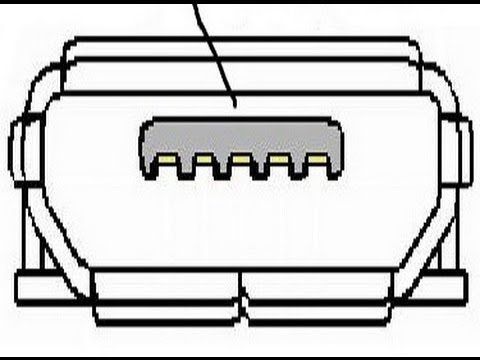
Step 2
TA / USB is normal?
Change TA or USB
Step 3
Check Volt VBUS_5.0V_IF(C414) = 5.0V ?
Replace C414
Step 4
Resolder or Replace U401

If tracks are missing to Apply this jumpers

HOME
Search Tags
Samsung Galaxy Star Pro Duos S7262 No Charging Solution
Samsung Galaxy Star Pro Duos S7262 Not Charging Solution
Samsung Galaxy Star Pro Duos S7262 Bad Charging Solution
Android App For This Site
Download
Samsung Usb Drivers
Samsung Android Usb Driver Download
Facebook Page
Do You Want More Update Click Here And Like This Page
samsung s5222 charging jumper solutions ways
Samsung gt s5222 Charging Solution

HOME
Search Tags
Samsung s5222 charging Solution
Samsung s5222 charging Not Working Solution
Samsung s5222 Bad charging solution
Android App For This Site
Download
Samsung Usb Drivers
Samsung Android Usb Driver Download
Facebook Page
Do You Want More Update Click Here And Like This Page
Samsung gt s7262 Star Pro Insert Sim Solution
Samsung gt s7262 Star Pro Insert Sim Solution

Insert SIM card Step by Step
Check SIM500/SIM501 to
soldering well
Resolder or replace SIM500/SIM501
Check the SIM Voltage.
(C513,C517) >= 3.0?
Change to the new SIM card.
If it doesn't still work SIM card after changing
the SIM card, Check the UCP300 (Crack etc)

HOME
Search Tags
Samsung Galaxy Star Pro Duos S7262 Insert Sim Solution
Samsung Galaxy Star Pro Duos S7262 No Sim Solution
Samsung Galaxy Star Pro Duos S7262 No Sim Emergency Call Only solution
Android App For This Site
Download
Samsung Usb Drivers
Samsung Android Usb Driver Download
Facebook Page
Do You Want More Update Click Here And Like This Page
Search Tags
Samsung Galaxy Star Pro Duos S7262 Insert Sim Solution
Samsung Galaxy Star Pro Duos S7262 No Sim Solution
Samsung Galaxy Star Pro Duos S7262 No Sim Emergency Call Only solution
Android App For This Site
Download
Samsung Usb Drivers
Samsung Android Usb Driver Download
Facebook Page
Do You Want More Update Click Here And Like This Page
Samsung GT-S7562 Galaxy S Duos Dead Boot repair Unbrick With RIFF Box JTAG
How To Dead Boot repair With RIFF Box

Repair bricked Samsung S7562 is easy with the RIFF Box.
Note, one simple way to connect over JTAG – connect USB cable to PC and insert battery. In this case phone is automatically powered on, so no need to press any power-on buttons on the phone keypad.
To resurrect Samsung S7562:
Solder JTAG cable to Samsung S7562 JTAG pads;

Insert USB Data cable into board and PC;
Make sure Samsung S7562 is selected in the list of models;
Click Resurrect button;
Wait till software signals a successful operation completion;
Disconnect power supply, de-solder JTAG wires;
Now phone is in bootable condition, that is, even if it does not start up normally, you can flash it using known flashing methods.
To enter download mode:
Disconnect PC cable;
Insert battery;
Hold ‘Volume Down’ and ‘Home’ keys and press Power-On.
HOME
Search Tags
Samsung Galaxy S Duos S7562 Dead Solution
Samsung Galaxy S Duos S7562 Dead Boot Solution
Samsung Galaxy S Duos S7562 Dead Boot Riff box solution
Android App For This Site
Download
Samsung Usb Drivers
Samsung Android Usb Driver Download
Facebook Page
Do You Want More Update Click Here And Like This Page
Samsung Core 2 G355h Charging Solution Step By Step Or Jumper Solution
Samsung Core 2 G355h Charging Solution Step By Step Schematic , Diagram , Circuit , Jumper

Samsung Core 2 G355h Charging Solution Step By Step
Step 1
Check the Battery
& TA connection
Insert the battery or TA
Step 2
Check the voltage
VBUS_5.0V_IF>= 5V?
Check C472,C473,ZD405
(short to GND or damage)
Change C472,C473,ZD405
Step 3
Check the U403
(SMD or Damage)?
Change the U403
END

Third Party Solution

Samsung Galaxy Star Pro S7262 No Network Solutions
Samsung Galaxy Star Pro S7262 No Network Solutions , No Service Solution


HOME
Search Tags
Samsung Galaxy Star Pro Duos S7262 Network Solution
Samsung Galaxy Star Pro Duos S7262 No Service Solution
Samsung Galaxy Star Pro Duos S7262 Emergency Call Only solution
Android App For This Site
Download
Samsung Usb Drivers
Samsung Android Usb Driver Download
Facebook Page
Do You Want More Update Click Here And Like This Page
No service Solution Step by Step
Check menu setting
Menu → applications → setting → wireless and network →
mobile networks → network mode → setting is auto mode ?
Step 2
Check the Main Antenna
not-exist or damaged
Replace Main Antenna
Step 3
Check the RFS100, L100, C103,
C102,C100,C101,L102,L101,C104 is
well soldered
Re-solder RFS100, L100, C103,
C102,C100,C101,L102,L101,C104 correspondingly
Step 4
Check C105,C106,C107>=3.0 V?
Replace the U100
Step 5
Change the PBA

Search Tags
Samsung Galaxy Star Pro Duos S7262 Network Solution
Samsung Galaxy Star Pro Duos S7262 No Service Solution
Samsung Galaxy Star Pro Duos S7262 Emergency Call Only solution
Android App For This Site
Download
Samsung Usb Drivers
Samsung Android Usb Driver Download
Facebook Page
Do You Want More Update Click Here And Like This Page
Samsung gt s7262 Samsung Galaxy Star Pro Duos S7262 Dead Solutions
Samsung gt s7262 Samsung Galaxy Star Pro Duos S7262 Dead Solutions
Cell phone can`t power on. Solutions

Step 1
Check the Battery Voltage.
Is it more than 3.5V?
Charging the battery by TA.
If its voltage level is extremely low(under 3.0V),
Change the battery.
Step 2
Power-on the phone and check
the power-on current ≥ 100mA
Change the FRONT LCD Assy.
or re-download binary
Step 3
Check the ONKEY
(TAC401)
Change the TAC401.
And re-try to the power-on operation
Step 4
Check the UCP300 output
voltage. (C338 ≒ 1.1V)
If the output voltage is not satisfied with normal
condition, Change the UCP300
※ Each voltage level has ±10% margin
Step 5
Change PBA

HOME
Search Tags
Samsung Galaxy Star Pro Duos S7262 Dead Solution
Samsung Galaxy Star Pro Duos S7262 Not Power On Solution
Samsung Galaxy Star Pro Duos S7262 Duos shutdown solution
Android App For This Site
Download
Samsung Usb Drivers
Samsung Android Usb Driver Download
Facebook Page
Do You Want More Update Click Here And Like This Page
Samsung Core 2 G355h Dead Solution Step By Step
Samsung Core 2 G355H Dead Solution Schematic , Diagram , Circuit

Samsung Core 2 G355h Dead Solution Step By Step
Step 1
Check the battery voltage VBAT >= 3.45 V?
NO
Change the battery
Step 2
Check the current consumption >= 100 mA?
Flash The Phone Download the latest binary. (Re Install Operating System)
Step 3
Check CLK in OSC400 PIN =32.768k Hz?
Change OSC400 or PBA

Samsung gt s7562 Samsung Galaxy S Duos S7562 LCD Not Working Solution
Samsung gt s7562 Samsung Galaxy S Duos S7562 LCD Not Working Solution

Samsung gt s7562 LCD Not Working Solution Step By Step
Step 1
Power Switch On
LCD Display On
LCD FPCB
connector is co
rrectly connecti
ned?
correctly connect
Step 2
C607
LED_P_26V=26V?
CHECK
LCD DATALINE
(LCD_SDA,SCL)


unofficial support site by welcome zone Haldwani
HOME
Search Tags
Samsung Galaxy S Duos S7562 Lcd Solution
Samsung Galaxy S Duos S7562 No Lcd Solution
Samsung Galaxy S Duos S7562 Blank Lcd solution
Android App For This Site
Download
Samsung Usb Drivers
Samsung Android Usb Driver Download
Facebook Page
Do You Want More Update Click Here And Like This Page

Samsung gt s7562 LCD Not Working Solution Step By Step
Step 1
Power Switch On
LCD Display On
LCD FPCB
connector is co
rrectly connecti
ned?
correctly connect
Step 2
C607
LED_P_26V=26V?
CHECK
LCD DATALINE
(LCD_SDA,SCL)
Replace U602 & Check
D600,L604,L603,L605
Replace or Resolder
& D600,L604,L603,L605
& D600,L604,L603,L605
Resolder or replace UCP300
Replace LCD
Replace PBA


unofficial support site by welcome zone Haldwani
HOME
Search Tags
Samsung Galaxy S Duos S7562 Lcd Solution
Samsung Galaxy S Duos S7562 No Lcd Solution
Samsung Galaxy S Duos S7562 Blank Lcd solution
Android App For This Site
Download
Samsung Usb Drivers
Samsung Android Usb Driver Download
Facebook Page
Do You Want More Update Click Here And Like This Page
Samsung gt s7562 Samsung Galaxy S Duos S7562 WiFi not Working solution
Samsung gt s7562 Samsung Galaxy S Duos S7562 WiFi not Working solution Schematic, Diagram,Circuit

Samsung gt s7562 Samsung Galaxy S Duos S7562 WiFi not Working solution Step by Step
Step 1
WiFi Function ON
Step 2
WiFi function enabled ?
Step 3
Check the TP_WLAN..
TP_WLAN is ok?
TP_WLAN is ok?
Change UCP300
Step 4
Check the supply voltage of
L208
The supply voltage is ok?
L208
The supply voltage is ok?
Check PM400
Step 5
Check C242,C243 is
19.2MHz
Step 6
Resolder or replace C242,C243
Check ANT201 ≥ 14 dBm
?
?
Step 7
Change Rear case

Unofficial Support Site By Welcome Zone haldwani
Search Tags
Samsung Galaxy GT S Duos S7562 WiFi Solution
Samsung Galaxy GT S Duos S7562 WiFi Not Working Solution
Samsung Galaxy GT S Duos S7562 WiFi Network Not Search solution
Android App For This Site
Samsung Usb Drivers
Samsung Android Usb Driver Download
Facebook Page
Do You Want More Update Click Here And Like This Page
Samsung galaxy Grand i9082 Sim Part , Insert SIM card Solution
Samsung galaxy Grand i9082 Sim Part , Insert SIM card Solution Schematic , Diagram , Circuit

Check the Pin Soldering
of SIM300, SIM301
Resoldering and recheck
Step 2
Check the SIM Voltage.
(C380, C387) >=
1.8 or 3.0?
Resoldering and recheck
Change to the new SIM card.
If it doesn`t still work SIM card after changeing
the SIM card, Check the UCP300 (Crack etc
END

HOME
Search Tags
Samsung Galaxy Grand i9082 insert sim card solution
Samsung Galaxy Grand i9082 Sim card not Found Solution
Samsung Galaxy Grand i9082 Sim card not working Solution
Android App For This Site
Download
Samsung Usb Drivers
Samsung Android Usb Driver Download
Facebook Page
Do You Want More Update Click Here And Like This Page
Samsung galaxy Grand i9082 Sim Part , Insert SIM card Solution Step by Step
Insert SIM card
Step 1
of SIM300, SIM301
Resoldering and recheck
Step 2
Check the SIM Voltage.
(C380, C387) >=
1.8 or 3.0?
Resoldering and recheck
Change to the new SIM card.
If it doesn`t still work SIM card after changeing
the SIM card, Check the UCP300 (Crack etc
END

Unofficial support site for this Phone By
Welcome Zone Haldwani
HOME
Search Tags
Samsung Galaxy Grand i9082 insert sim card solution
Samsung Galaxy Grand i9082 Sim card not Found Solution
Samsung Galaxy Grand i9082 Sim card not working Solution
Android App For This Site
Download
Samsung Usb Drivers
Samsung Android Usb Driver Download
Facebook Page
Do You Want More Update Click Here And Like This Page
Samsung gt s7562 Samsung Galaxy S Duos S7562 Bluetooth not Working solution
Samsung gt s7562 Samsung Galaxy S Duos S7562 Bluetooth not Working solution Schematic, Diagram,Circuit


HOME
Search Tags
Samsung Galaxy GT S Duos S7562 Bluetooth Solution
Samsung Galaxy GT S Duos S7562 Bluetooth Not Working Solution
Samsung Galaxy GT S Duos S7562 Bluetooth Not Exchange Data solution
Android App For This Site
Download
Samsung Usb Drivers
Samsung Android Usb Driver Download
Facebook Page
Samsung gt s7562 Samsung Galaxy S Duos S7562 Bluetooth not Working solutionStep by Step
Step 1
Bluetooth Function ON
Step 2
Bluetooth function enabled ?
Step3
Check the BT_PCM TP.
BT_PCM TP is ok?
BT_PCM TP is ok?
Change UCP300
Step 4
The voltage of R210 =
about 1.8V
about 1.8V
Check PM400
Step5
Check C209 ≥ 5 dBm ?
Resolder or replace U201, C209
Step 6
Check the voltage of C239
= 3.3 V
= 3.3 V
Check PM400
Step7
Check ANT201 ≥ 3 dBm ?
Resolder or replace C246
Step 8
Change Rear case

Unofficial Support Site By Welcome Zone haldwani
Search Tags
Samsung Galaxy GT S Duos S7562 Bluetooth Solution
Samsung Galaxy GT S Duos S7562 Bluetooth Not Working Solution
Samsung Galaxy GT S Duos S7562 Bluetooth Not Exchange Data solution
Android App For This Site
Download
Samsung Usb Drivers
Samsung Android Usb Driver Download
Facebook Page
Do You Want More Update Click Here And Like This Page
Samsung gt s7562 Samsung Galaxy S Duos S7562 T-Flash Card Memory card Working Solution
Samsung gt s7562 Samsung Galaxy S Duos S7562 Memory card, T-Flash Card Working Solution Schematic , Diagram , Circuit

Samsung gt s7562 Memory card, T-Flash Card not Working Solution Step by Step
Step 1
Insert & Operate
microSD card
Step 2
SD700
break down ?
Change SD700
Step 3
10thPin of SD700
= High ?
Change SD700
Step 4
4thPin of SD700
= 2.85V ?
Resolder or Replace
PM400(PMIC)
Step 5
Check
UCP300
UCP300

Unofficial support site for this Phone By
Welcome Zone Haldwani
HOME
Search Tags
Samsung Galaxy GT S Duos S7562 T-Flash card not working Solution
Samsung Galaxy GT S Duos S7562 SD Card Not Working Solution
Samsung Galaxy GT S Duos S7562 Memory card not working solution
Android App For This Site
Download
Samsung Usb Drivers
Samsung Android Usb Driver Download
Facebook Page
Do You Want More Update Click Here And Like This Page
Samsung galaxy Grand i9082 No Service , No Network Solution
Samsung galaxy Grand i9082 No Service Solution Schematic , Diagram , Circuit

Samsung galaxy Grand i9082 No Service Solution Step by Step
No service:-
Step 1
Check memu setting
Menu → Apps → Settings → More settings →
Mobile networks → Network mode → GSM/WCDMA(Auto mode)
Step 2
Menu → Phone → Keypad →
*#1234# → check Phone version →
PHONE : I9082XXXX or
PHONE : unknown
Check the connection of RF coaxial cable
(QCB01 @ page2 )
Step 3
Check RFS100 is well soldered
Resolder or Change RFS100
Step 4
Check L100, L101, L144 and
L145 is well soldered
Resolder or Change L100, L101, L144 and L145
Step 5
Change the board
Step 6
END

Unofficial support site for this Phone By
Welcome Zone Haldwani
Search Tags
Samsung Galaxy Grand i9082 No Service solution
Samsung Galaxy Grand i9082 Can not connect Network Solution
Samsung Galaxy Grand i9082 No Service Error Solution
Android App For This Site
Download
Samsung Usb Drivers
Samsung Android Usb Driver Download
Samsung gt s7562 Samsung Galaxy S Duos S7562 Pcs Rx not working Solution
Samsung gt s7562 Samsung Galaxy S Duos S7562 Pcs Rx network not working Schematic , Diagram , Circuit

Unofficial support site for this Phone By Welcome Zone Haldwani Solution
Samsung Galaxy S Duos S7562 Pcs Rx network not working Solution Step by Step
Step 1
Channel : 661 CH
Cell power : -60dBm
Step 2
U100 PIN30 ≥ -65dBm?
(L141 using spectrum analyzer)
Check RFcable
Step 3
U100 PIN23, L119 ≥ -68dBm?
Check the U100`s
Ant. selection diagram
Resolder L119
or Change U100
Check Main chip(UCP300)
Step 4
F103 PIN8,9
L135, L136, L118 ≥ -75dBm?
Resolder L135, L136, L118
or Change F10
Step 5
Change U100


Unofficial support site for this Phone By
Welcome Zone Haldwani
HOME
Search Tags
Samsung Galaxy GT S Duos S7562 Pcs Rx network not working Solution
Samsung Galaxy GT S Duos S7562 Pcs Rx Not receiving Solution
Samsung Galaxy GT S Duos S7562 Pcs Rx not response solution
Android App For This Site
Download
Samsung Usb Drivers
Samsung Android Usb Driver Download
Facebook Page
Do You Want More Update Click Here And Like This Page
Samsung gt s7562 Samsung Galaxy S Duos S7562 GSM850/900 Tx not working Solution
Samsung gt s7562 Samsung Galaxy S Duos S7562 GSM850/900 Tx network not working

Samsung Galaxy S Duos S7562 GSM850/900 Tx network not working Step by Step Solution
Step 1
Continuous TX ON
CONTINOUS TX ON
CONDITION
TX POWER DAC:14500 CODE
APPLIED
GSM850 CH : 190
GSM900 CH : 62
RBW : 100KHz
VBW : 100KHz
SPAN : 10MHz
REF LEV. : 10dBm
ATT. : 20dB
Step 2
Check Output power of RFS100
≥ 31.5 dBm ?
Check Main ant. contact & L131,
L103,C122, L107
Step 3
Check Output power at
R101, C169 ≥ 11dBm ?
Check the Ant.
switching diagram of U100
TP_ANT_SEL
Check GPIO control (UCP300)
Resolder or Change U100
Step 4
U100 normally is operated
Change U100
Step 5
Check UCP300
HOME
Search Tags
Samsung Galaxy GT S Duos S7562 GSM850/900 Tx not working Solution
Samsung Galaxy GT S Duos S7562GSM850/900 Tx Not network Solution
Samsung Galaxy GT S Duos S7562 GSM850/900 Tx power solution between two bands
Android App For This Site
Download
Samsung Usb Drivers
Samsung Android Usb Driver Download
Facebook Page
Do You Want More Update Click Here And Like This Page
Samsung Galaxy S Duos S7562 GSM850/900 Tx network not working Step by Step Solution
Step 1
Continuous TX ON
CONTINOUS TX ON
CONDITION
TX POWER DAC:14500 CODE
APPLIED
GSM850 CH : 190
GSM900 CH : 62
RBW : 100KHz
VBW : 100KHz
SPAN : 10MHz
REF LEV. : 10dBm
ATT. : 20dB
Step 2
Check Output power of RFS100
≥ 31.5 dBm ?
Check Main ant. contact & L131,
L103,C122, L107
Step 3
Check Output power at
R101, C169 ≥ 11dBm ?
Check the Ant.
switching diagram of U100
TP_ANT_SEL
Check GPIO control (UCP300)
Resolder or Change U100
Step 4
U100 normally is operated
Change U100
Step 5
Check UCP300
Unofficial support site for this Phone By
Welcome Zone Haldwani
HOME
Search Tags
Samsung Galaxy GT S Duos S7562 GSM850/900 Tx not working Solution
Samsung Galaxy GT S Duos S7562GSM850/900 Tx Not network Solution
Samsung Galaxy GT S Duos S7562 GSM850/900 Tx power solution between two bands
Android App For This Site
Download
Samsung Usb Drivers
Samsung Android Usb Driver Download
Facebook Page
Do You Want More Update Click Here And Like This Page
Samsung gt s7562 Samsung Galaxy S Duos S7562 DCS Rx not Working solution
Samsung gt s7562 Samsung Galaxy S Duos S7562 DCS Rx network
not Working solution
not Working solution

Samsung gt s7562 Samsung Galaxy S Duos S7562 DCS Rx network
not Working solution Step By Step
not Working solution Step By Step
Step 1
Continuous Rx ON
Channel : 698 CH
Cell power : -60dBm
Channel : 698 CH
Cell power : -60dBm
Step 2
U100 PIN30 ≥ -65dBm?
(L141 using spectrum analyzer)
(L141 using spectrum analyzer)
Resolder L141 or RFS100
Check RFcable
Check RFcable
Step 3
U100 PIN23, L119 ≥ -68dBm?
Check the U100`s
Ant. selection diagram
Ant. selection diagram
Resolder L119
or Change U100
or Change U100
Check Main chip(UCP300)
Step 4
Check Main chip(UCP300)
Resolder C121, C164, L120
or Change F103
or Change F103
Step 5
Change U100
Unofficial Support Site By Welcome Zone haldwani
Search Tags
Samsung Galaxy GT S Duos S7562 DCS Rx Solution
Samsung Galaxy GT S Duos S7562 DCS Rx Not Working Solution
Samsung Galaxy GT S Duos S7562 DCS Rx network Not receive solution
Android App For This Site
Download
Samsung Usb Drivers
Samsung Android Usb Driver Download
Facebook Page
Do You Want More Update Click Here And Like This Page
Subscribe to:
Posts (Atom)