Showing posts with label desire 816. Show all posts
Showing posts with label desire 816. Show all posts
Friday, December 11, 2015
Install android lollipop based Cyanogenmod custom rom on Htc desire 816 a5
Htc desire 816 is one of first device to have a snapdragon 400 processor.It is initially launched with android kitkat and is yet to receive lollipop update.Its a beautiful device from htc with 5.5 inch screen with 720p hd display.Even though lollipop is not yet out completely you can still install it on this device with the help of cyanogenmod custom rom.
Device specific code name for htc desire 816 is "a5" and you should not get confuse between model number and device code.Also this device comes in dual sims too and they have device code names as "a5dwg" and "a5dug".This rom is specific to single variant only but you can still flash this on dual sim variant of desire 816 but you will face some problems for sure.
If you have this device and don't know how to update it to latest version of android then this guide is for you.We will help you to you to unlock your bootloader, install a custom recovery and finally install cyanogenmod in three steps.You have to follow these steps carefully so that you don't encounter any problems.
Flashing a custom on your android smartphone is very risky process.If you have bricked it then there is not chance of it getting it back to normal working state.Though the chances are very low to brick it we still hold no responsibility for any sought of damage caused.
About cyanogenmod custom rom:
Before flashing this you read some information about this cm 12.0 rom for desire 816,so that you can have an idea of this one offers to you.Cyanogenmod is one of the best custom roms available in android development ecosystem.They support lot of devices.This is based on android open source project with lot of added features.IT uses android 5.1.1 lollipop as base for now and will be updated to later versions of android when available.
Though desire 816 is officially supported by cyanogenmod we still don't have cm 12.1 and you have to wait for some more time.Till then you have to completely rely on cm 12.0 only.
Features of Cm 12.0:
This is first step is to unlock bootloader which you have go through before installing any custom rom on htc desire 816 and is a simple process but it requires a computer with Internet connection.
Must read: Basic adb and fastboot commands
Device specific code name for htc desire 816 is "a5" and you should not get confuse between model number and device code.Also this device comes in dual sims too and they have device code names as "a5dwg" and "a5dug".This rom is specific to single variant only but you can still flash this on dual sim variant of desire 816 but you will face some problems for sure.
If you have this device and don't know how to update it to latest version of android then this guide is for you.We will help you to you to unlock your bootloader, install a custom recovery and finally install cyanogenmod in three steps.You have to follow these steps carefully so that you don't encounter any problems.
Flashing a custom on your android smartphone is very risky process.If you have bricked it then there is not chance of it getting it back to normal working state.Though the chances are very low to brick it we still hold no responsibility for any sought of damage caused.
Cyanogenmod custom rom for htc desire 816 a5:
 |
| Install Cyanogenmod custom on Htc desire 816 a5 |
Before flashing this you read some information about this cm 12.0 rom for desire 816,so that you can have an idea of this one offers to you.Cyanogenmod is one of the best custom roms available in android development ecosystem.They support lot of devices.This is based on android open source project with lot of added features.IT uses android 5.1.1 lollipop as base for now and will be updated to later versions of android when available.
 |
| cyanogenmod custom rom |
Features of Cm 12.0:
- Trebuchet: This is the default launcher that comes with cyanogenmod. But if you flash full gapps then you might loose this as a default launcher.It doesn't have too many features like nova or other launchers but its simple, fast and does the job want it meant for.
- Theme engine: Theme engine is from the cyanogenmod custom rom which basically changes the look user interface from lock screen to ring tones all the way up to boot animations.The speciality of the theme engine is the ability to choose individual elements of every theme you have installed.So you like the ring tons and wallpapers of one theme and icons of other theme then you can have them at a time.Just open the theme chooser and you will understand how to do it.

- Status bar Tweaks:Status bar has lot of tweaks which include a brightness slider.Slide in status bar to adjust brightness of the screen.Double tap on status bar to sleep device to sleep but you dont have knock on feature.
- Performance control:A default CPU manager app to control frequencies and governors . You can adjust cpu frequencies and also set them on boot too.
- Software Updates: Cyanogenmod is usually available in three types one is nightlies which gets updated with new features every night and are quite stable for daily usage.second one is the snapchat which is monthly build version which will be stable version and other one is the release candidate.Some times nightlies are considered must stable than the snapshots. As of now we have android lollipop in form on CM 12.0.
- Network speed: You can get insight of your network speed n status bar.This is much helpful feature when compared to other features if you browse heavily.

- If you are missing root functionality or all your root apps are not working properly then to developer settings and check if root permissions are set properly.
These are key features of official cyanogenmod 12.0 custom rom and you can explore rest of the features by flashing rom this on your htc desire 816 a5.
Prerequisites:
Prerequisites:
- Check you model device variant first.This is essential as flashing rom on other variants might cause issues
- Make sure that Htc Desire 816 drivers, that is sync is already installed on your computer.If you don't have a recovery installed then you have to install them bridge connection between pc and desire 816.
- You must have updated it to latest official software version that is available.
- Root:Do you have root access on your Htc desire 816? if yes its fine.If not then also don't worry as we are going to start from scratch.
- Backup:Backup all your data which includes contacts,apps,photos videos etc everything to computer or any cloud networks as flashing cyanogenmod 12.0 rom on htc desire 816 ,wipes all your internal storage data.
- Battery: Charge your desire 816 to 80% so that you wont encounter any battery related problems while flashing this rom.
- Backup Efs partitions: This is for those who already have twrp recovery installed.Backup all your efs partition of your htc desire 816 on current Rom or firmware.Just in case if you loose signal you can just restore it back.
- Custom recovery: You need a custom twrp recovery installed on your desire 816.Without it you can not flash roms at all.Or else you have to download twrp recovery for htc desire 816.
- You must have a unlocked bootloader.If not ,no worries.
- Downloads: cyanogenmod 12.0 for htc desire 816 a5 and google apps and transfer them to internal storage.
If you have a custom recovery installed proceed to step 3 directly.If not follow from step one.
#1: Unlock bootloader of htc Desire 816
Must read: Basic adb and fastboot commands
- Download and install htc drivers on your computer if you don't have.
- Now power off the device completely and wait for few seconds to confirm that it is completely off.
- Hold volume down and power button at same time for few seconds.When you see hboot release buttons.Using volume down for navigation select "fastboot" and click on power button to put desire 816 into fastboot.
- Once you are in fastboot mode connect it to computer through usb cable and if you notice any driver installation process let it complete first.
- Download fastboot on our laptop or Pc and install it.You can install it any location but choose location as c: which is default location.
- open the fastboot folder which is located in "c:\programming files".Right click on empty space by holding shift and you see an option "open cmd here".
- If you don't find this option then press windows and R buttons at same time ,Run pops up and type cmd to open command prompt.
- Now go to fastboot folder and copy the location of it which you can see in address bar of folder.
- In command prompt type the command "Cd location of fastboot folder" and press enter.You will notice that fastboot appears in command line.To paste location right click on empty space in cmd and several pops up.Select paste.
- One you press enter you have to notics minimal adb and fastboot in command line instead of c or some thing.
- Once you are in fastboot window type "fastboot devices" and press enter.If your device is detected you will get a serial number in list of devices attached.If not uninstall drivers and install them again.
- Now type the command "fastboot oem get_identifier_token" and hit enter.You will get a serial key.Copy that key to notepad or ms-word.
- Now open htcdev.com and register with a valid email id.
- One you sign up there.Log in to your account and you will find developer centre in top most part.
- Click on it and you will have three more options to choose from.select unlock bootloader.

Unlock bootloader of htc desire 816 a5 - Proceed all other steps as mentioned and you are are asked to submit Submit your key there.
- You will receive a mail from Htc which includes a unlock_code.bin file. Download it and move it to fastboot folder which is located in programming files.
- Now type the command "fastboot flash unlocktoken unlock_code.bin" and hit enter.Check your device ,you will notice a notification on desire 816 to confirm unlocking bootloader. Click on yes.This will unlock bootloder and also erases all data of your Htc desire 816.
- You have a unlocked bootloader device which is ready to accept a recovery to be flashed.
#2: Install Twrp recovery on Htc desire 816
- Now download twrp recovery for htc desire 816 above link and paste it in fastboot folder.Don't forget to rename it to recovery or to twrp so that you can type it easily in command.
- Put the device in fastboot mode again using button combinations.See it in step 1 if you don't know.
- Type the command "fastboot flash recovery recovery.img".This will install latest twrp recovery on your htc desire 816 .
- Once you have installed recovery reboot it and copy cyanogenmod 12.0 which you have downloaded on your computer to desire 816 internal storage and head over to next step.
#3: Flash Cyanogenmod 12.0 rom using Twrp
- Download Cm 12.0 for htc desire 816 for your model only and Gapps transfer it to sdcard or internal storage of your device.
- Power of device completely and wait for few seconds to confirm that it is off completely.
- Hold volume down and power button at same time for few seconds.
- When you see hboot release buttons.Using volume keys for navigation select recovery and click on power button to reboot into twrp recovery.
- Once you are in twrp click on backup and select all partitions which you want to backup. It might take about 5 minutes for backup to complete. Don't interrupt backup process.This step is essential if flashing is your first time.
- Once backup of your existing rom is completed click on back button.Wipe data,cache and dalvik cache and wipe system partition too.
- Now select Install and navigate to location where you have placed your cm 12.0 rom and gapps zip files.
- Flashing this might take about 5 minutes or even less.Once flashing is complete do a factory reset again.
- Now reboot to system.
Wait for at least 30 minutes for initial boot to complete and once done you explore its features.One thing you have to keep in mind that you have to make nandroid backup for sure.Just in case if it enters bootloop you can restore it back.
If you experience any bootloops then press and hold power button for about 15 seconds and you will notice that it goes off completely and now use button combination to boot into hboot and from there enter recovery again.Once you are in recovery just restore backup.
If you have any other questions regarding installing cyanogenmod 12.0 custom rom on your htc desire 816 a5 don't forget to leave a comment below.

Thursday, December 10, 2015
How to Install Twrp recovery and root Htc Desire 816 a5
If you are completely bored with your htc desire 816 you might either sell it or will try experiments on it for sure.You will first start with root and then proceed to installing custom roms if you are completely fed up with that.But for all these to be done you need a custom recovery installed on it first.
Twrp is one of the best recovery that you can have on your desire 816 a5.Good news is that twrp officially supports this device under the codename a5 which is a single sim variant.So if you have a dual sim variant then this is not for you.We don't recommend you to flash this for now.
"A5" is the device specific codename for htc desire 816.We are not responsible if you brick your device in this process as we all aware that flashing and rooting htc desire 816 is a risky process.This tutorial is not all meant for dual sim variants to this mobile and we take no responsibility if you brick it.
Installing twrp recovery can be done in two stages and you have to follow these steps carefully. Though you can flash this recovery on desire 816 in three ways,you have to go through first method only if you dont have root access.
This is first step is to unlock bootloader which you have go through before installing any custom rom on htc desire 816 and is a simple process but it requires a computer with Internet connection.
Must read: Basic adb and fastboot commands
Twrp is one of the best recovery that you can have on your desire 816 a5.Good news is that twrp officially supports this device under the codename a5 which is a single sim variant.So if you have a dual sim variant then this is not for you.We don't recommend you to flash this for now.
"A5" is the device specific codename for htc desire 816.We are not responsible if you brick your device in this process as we all aware that flashing and rooting htc desire 816 is a risky process.This tutorial is not all meant for dual sim variants to this mobile and we take no responsibility if you brick it.
Prerequisites:
- Check you model device variant first.This is essential as flashing rom on other variants might cause issues
- Make sure that Htc Desire 816 drivers, that is sync is already installed on your computer.If you don't have a recovery installed then you have to install them bridge connection between pc and desire 816.
- You must have updated it to latest official software version that is available.
- Root:Do you have root access on your Htc desire 816? if yes its fine.If not then also don't worry as we are going to start from scratch.
- Backup:Backup all your data which includes contacts,apps,photos videos etc everything to computer or any cloud networks as flashing Twrp recovery on htc desire 816 a5 ,wipes all your internal storage data.
- Battery: Charge your desire 816 to 80% so that you wont encounter any battery related problems while flashing this rom.
- You must have a unlocked bootloader.If not ,no worries.
- Downloads: Twrp recovery for desire 816 a5 and transfer them to internal storage.
If you have a custom recovery installed proceed to step 3 directly.If not follow from step one.
About Twrp recovery:
Team win recovery project abbreviated as Twrp is one first recovery to offer a completely touch driven interface.The ui is completely xml based so you can customise the interface with different themes and also this is only recovery that supports themes.Unlike the clockworkmod recovery this recovery has the option to wipe all the data,cache,dalvik,system,internal with just only one swipe.Of course you have to choose what to be wiped on the device.
Features of Twrp:
Install Twrp recovery and root Htc desire 816 a5:
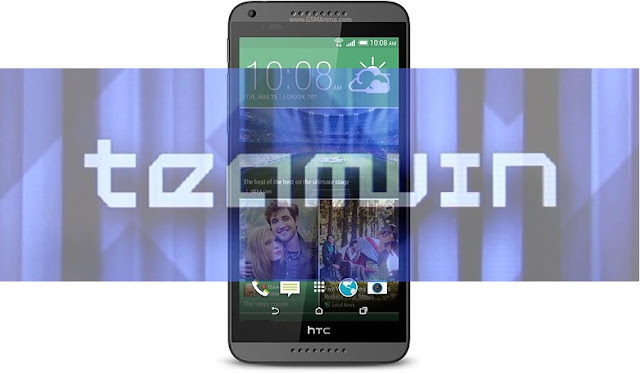 |
| How to Install Twrp recovery and root Htc Desire 816 a5 |
Team win recovery project abbreviated as Twrp is one first recovery to offer a completely touch driven interface.The ui is completely xml based so you can customise the interface with different themes and also this is only recovery that supports themes.Unlike the clockworkmod recovery this recovery has the option to wipe all the data,cache,dalvik,system,internal with just only one swipe.Of course you have to choose what to be wiped on the device.
 |
| htc desire 816 twrp recovery |
- Touch interface:It is the first recovery to offer a complete touch driven interface which makes navigation much easier and later cwm also had touch interface.
- Individual Backups: Creating a completely backup is a must for any flasher but this occupies a lot of portion of your internal or external storage.Twrp will let you to backup individual portions of rom, this saves lot of space on your android device.This feature comes handy when you are flashing kernels.You can backup boot img alone if you want and can restore it when flashing kernel fails.
- Advanced wipe:There are two options for wiping your device partitions one is wipe and other is advanced wipe.If you choose just wipe option it factory resets while advance wipe option will allow you to choose what to wipe and what not.
- Theme Engine: This is one of the best feature and is only available in Twrp only.Since ui of twrp is xml based you can customize its ui with already available themes or you can create your own theme if you can.
- Multi rom:As the name says you can boot more than two roms on your device and is exclusive to twrp only as of now.This feature may not be available from official twrp team and booting more than one rom requires a modified kernel by your rom developer.
These are the basic features of twrp recovery and with every update a new feature will be added along with bug fixes.
Installing twrp recovery can be done in two stages and you have to follow these steps carefully. Though you can flash this recovery on desire 816 in three ways,you have to go through first method only if you dont have root access.
#1: Unlock bootloader of htc Desire 816
Must read: Basic adb and fastboot commands
- Download and install htc drivers on your computer if you don't have.
- Now power off the device completely and wait for few seconds to confirm that it is completely off.
- Hold volume down and power button at same time for few seconds.When you see hboot release buttons.Using volume down for navigation select "fastboot" and click on power button to put desire 816 into fastboot.
- Once you are in fastboot mode connect it to computer through usb cable and if you notice any driver installation process let it complete first.
- Download fastboot on our laptop or Pc and install it.You can install it any location but choose location as c: which is default location.
- open the fastboot folder which is located in "c:\programming files".Right click on empty space by holding shift and you see an option "open cmd here".
- If you don't find this option then press windows and R buttons at same time ,Run pops up and type cmd to open command prompt.
- Now go to fastboot folder and copy the location of it which you can see in address bar of folder.
- In command prompt type the command "Cd location of fastboot folder" and press enter.You will notice that fastboot appears in command line.To paste location right click on empty space in cmd and several pops up.Select paste.
- One you press enter you have to notics minimal adb and fastboot in command line instead of c or some thing.
- Once you are in fastboot window type "fastboot devices" and press enter.If your device is detected you will get a serial number in list of devices attached.If not uninstall drivers and install them again.
- Now type the command "fastboot oem get_identifier_token" and hit enter.You will get a serial key.Copy that key to notepad or ms-word.
- Now open htcdev.com and register with a valid email id.
- One you sign up there.Log in to your account and you will find developer centre in top most part.
- Click on it and you will have three more options to choose from.select unlock bootloader.

- Proceed all other steps as mentioned and you are are asked to submit Submit your key there.
- You will receive a mail from Htc which includes a unlock_code.bin file. Download it and move it to fastboot folder which is located in programming files.
- Now type the command "fastboot flash unlocktoken unlock_code.bin" and hit enter.Check your device ,you will notice a notification on desire 816 to confirm unlocking bootloader. Click on yes.This will unlock bootloder and also erases all data of your Htc desire 816.
- You have a unlocked bootloader device which is ready to accept a recovery to be flashed.
#2: Install Twrp recovery on Htc desire 816 using fastboot
- Now download twrp recovery for htc desire 816 above link and paste it in fastboot folder.Don't forget to rename it to recovery or to twrp so that you can type it easily in command.
- Put the device in fastboot mode again using button combinations.See it in step 1 if you don't know.
- Type the command "fastboot flash recovery recovery.img".This will install latest twrp recovery on your htc desire 816 .
- Once you have installed recovery reboot it and copy cyanogenmod 12.0 which you have downloaded on your computer to desire 816 internal storage and head over to next step.
Method 2: Flash it using Twrp manager app:
- This method only works when you have root access and an unlocked bootloader.
- Open playstore app and search for twrp manager app.
- Download app and open it.
- If you are asked to grant super user permissions.Simply grant always.
- Once you grant the permissions do a swipe from the left and you will find several options.
- Choose the options "Install twrp" and you will be greeted with two more options.One is device name and other to install.
- Click device name and scroll down and you will find Htc desire 816 a5. Click on it.
- Now choose which version to be installed and then click on install recovery.
- App downloads the recovery and flashes it.
- Once done you can reboot to recovery from the app itself.
- This method too requires root access and bootloader unlocked.
- Go to play store and search for a app call "terminal emulator".You will flooded with lot of apps just download any one of them.
- Download twrp recovery img file from above link and place it on your internal storage.Do not place it it any folder,just copy to roots of your internal storage.If you are confused then just copy and paster in internal storage and rename it to twrp.
- Open terminal emulator and type the command "su".If you are requested to grant super user permissions then grant them.
- Type the command "dd if=/sdcard/twrp.img of=/dev/block/mmcblk0p41".
- Recovery will be flashed in few seconds just keep calm and wait for process to complete.
Must see: Cyanogenmod rom for htc desire 816
How to Root Htc desire 816 a5:
- Download latest supersu zip file and transfer it to sdcard or internal storage of your device.
- Power of device completely and wait for few seconds to confirm that it is off completely.
- Hold volume down and power button at same time for few seconds.
- When you see hboot release buttons.Using volume keys for navigation select recovery and click on power button to reboot into twrp recovery.
- Once you are in twrp click on backup and select all partitions which you want to backup. It might take about 5 minutes for backup to complete. Don't interrupt backup process.This step is essential if flashing is your first time.
- Once backup of your existing rom is completed click on back button.Wipe data,cache and dalvik cache and wipe system partition too.
- Now select Install and navigate to location where you have placed your supersu zip file.
- Flashing this might take less than a minute.
- Once it is flashed just reboot to system.
- To know if your desire 816 is rooted or not just open playstore app and then search for an app called root checker.
- When you open the and click on "check root access", if it asks permissions then it has been rooted.Now you can either install custom roms for any root apps as you wish.But remember you have to make a backup for sure.
Now you have success fully installed Twrp recovery on htc desire 816 a5 and also rooted it.For any other queries don't forget to leave a comment or contact us.
Subscribe to:
Posts (Atom)