Showing posts with label optimus g pro. Show all posts
Showing posts with label optimus g pro. Show all posts
Friday, December 11, 2015
Install stock based Miui V7 on Lg optimus g pro E988 E980
If you are bored of regular ui that is available on all of the custom roms that are compiled for lg optimus g pro eE988 or for E980 you might have gone for a light stock based rom so that you can have a better performance while giving you a complete home experience.But who stays on a single for long time.At one point of time you will fed up with all roms and search for a firmware which has different ui and better performance.
Miui is one of those custom rom which has a complete different ui which is some what similar to Ios and give you a different a completely new experience than stock or cm based roms.Xiaomi recently announce its latest version of miui which is v7 and has all the features that v6 has to offer and has some improvements in user interface and some other features.
Before flashing this rom on your optimus g pro let me give you some information about this quadcore snapdragon s4 pro chipset device.This is lg's 2012 flagship and recently they announced android lollipop update.If you haven't received it yet you have to wait for some more time. but till then you can try this miui v7.Being a flagship it is available with many model numbers like E988,E985 and E980 depending on region of availability,There are Korean carrier variants too.
Flashing a custom rom is a very risky process and is much harder than diffusing a bomb for newbies. If you are new to flashing then let me remind you that we are not responsible if you brick your device after installing this. So be careful and follow at your own risk.
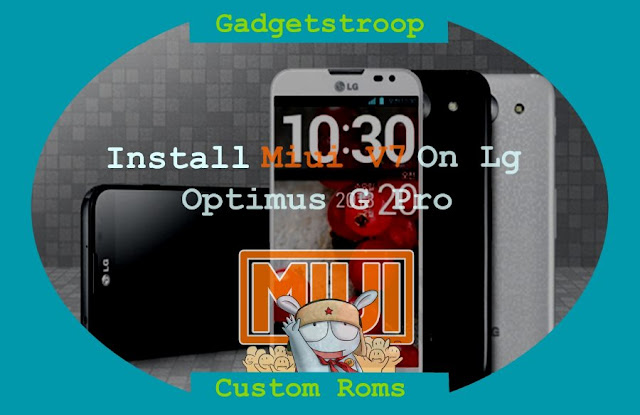 About Miui custom rom:
Miui is one of the best and awesome custom rom out there.As we all aware of it that it is a stock rom for all xiaomi devices but they open sourced it and is widely available for lot of other branded devices through official support or even ports.Recently xiaomi has announced miui v7 with lot of changes in user interface but it still has android kitkat as a base.
Coming to miui v7 for Optimus g pro e980 or e988 it is stable for daily usage and has decent battery life too.This rom is still in testing phase and is completely based on stock rom which means it stable but you will not any stock rom features here.Though all features which are essential for daily usage are working fine you might experience lot of force closes if you flash gapps.It is compiled by the developer "gtbluesky", a big thanks to him.
Features:
prerequisites:
Final words on miui v7 for optimus g pro:
By following the above three procedures you will be able to install Miui V7 on lg optimus g pro e980 or E988.If you experience any signal issue that lost your imei then you have to flash this rom with cwm recovery.If you have imei but lost signal then go to settings and then to lg settings.You will find service menu change subscription from NV to USIM.You will receive network signal again. If you have any important points to ask then do leave a comment below.
Miui is one of those custom rom which has a complete different ui which is some what similar to Ios and give you a different a completely new experience than stock or cm based roms.Xiaomi recently announce its latest version of miui which is v7 and has all the features that v6 has to offer and has some improvements in user interface and some other features.
Before flashing this rom on your optimus g pro let me give you some information about this quadcore snapdragon s4 pro chipset device.This is lg's 2012 flagship and recently they announced android lollipop update.If you haven't received it yet you have to wait for some more time. but till then you can try this miui v7.Being a flagship it is available with many model numbers like E988,E985 and E980 depending on region of availability,There are Korean carrier variants too.
Flashing a custom rom is a very risky process and is much harder than diffusing a bomb for newbies. If you are new to flashing then let me remind you that we are not responsible if you brick your device after installing this. So be careful and follow at your own risk.
Install Miui V7 on Lg optimus g pro E988 and E980:
Miui is one of the best and awesome custom rom out there.As we all aware of it that it is a stock rom for all xiaomi devices but they open sourced it and is widely available for lot of other branded devices through official support or even ports.Recently xiaomi has announced miui v7 with lot of changes in user interface but it still has android kitkat as a base.
Coming to miui v7 for Optimus g pro e980 or e988 it is stable for daily usage and has decent battery life too.This rom is still in testing phase and is completely based on stock rom which means it stable but you will not any stock rom features here.Though all features which are essential for daily usage are working fine you might experience lot of force closes if you flash gapps.It is compiled by the developer "gtbluesky", a big thanks to him.
Features:
- Face recognition: Default gallery in miui has a new feature which detects face which makes it easy to categorise all the images of a person.This is really a useful feature if you store lot of photos on your device.
- Video ringtone: If you are bored with the photo caller id and ringtone you can switch to a small video ringtone instead of just a song.when you receive a call a video which you have set will be played along with ringtone.
- Changes to interface: There are three modes for the home screen which which are focused on boys, girls and business.These modes jsut change the appearance of icons and wallpaper which might be pleasing to your eyes.
- Font size: If you don't like default font size then you can adjust its size to suit your eyes.
- Muse: One of the highlighting feature of miui is its theme engine.You can blends various elements of other themes into one.But if you are not pleased with all the themes and combinations that you can make then you can create your own them with the help of muse app.
- Performance has been improved by about 30% while decreasing the power consumption by about 25% which is nice.
- Miui Launcher: This launcher is completely different from other aosp launchers which you are familiar with.Feature no app drawer and apps resides on home screen it self.
- Traffic indicator: Network traffic indication is also available for ongoing traffic.Both download and upload speeds are displayed at same time on status bar.
- Theme engine: miui is one of the first rom to offer a theme engine.There are lacks of themes in mi store and some are paid versions too.Yo can use mi tools which is a modified xposed framework to run on miui to get all paid themes for free.With this theme engine you can change wallpapers ,boot animations,ring tones, navigation panel theme,status bar theme,lock screen theme,icons and what ever.You can even overlap individual theme elements too.
- Utility tool: This helps to clear cache,virus scan,permission etc.
- Guest mode: Guest mode is enabled by default and is locked in privacy protection.
- Notifications: Notifications appear in form of "heads up" which you must be familiar with.
- Features a do not disturb mode too.
- Status bar: It features transparent status bar as usual.There is a network monitor too for ongoing Internet traffic.You can see your upload and download speed in status bar.Swiping down from status bar will bring you notification panel and swiping left on it will take you to quick toggles.
- Unlock your phone when a trusted blue tooth device is nearby which might remind you of "MI band".
- Permission manager: You can control permissions for individual app.
These are the features of miui v7 and miui itself and you can explore rest of the features by flashing this on your optimus g pro E980 or E988.If you are on stock rom without even root access then you have to follow all the steps carefully.
- Check you Lg optimus G pro model number by going into about device and confirm that you are using E980 or E988 .This rom is actually flashable on all variants of this device.
- Make sure that lg mobile utility drivers are already installed on your computer.If you don't have then do install them.
- You must have updated it to official kitkat or lollipop that is already available if you are starting from scratch.
- Root: You need to have root access on your optimus G pro to flash Miui V7 .
- Backup:Backup all your data which includes contacts,apps,photos videos etc everything to computer or any cloud networks as Flashing miui v7 on optimus g pro might erase all the data on your device.
- Backup Efs partitions: This is for those who already have twrp installed.Backup all your efs partition of your Lg optimus G Pro e980 on current Rom or firmware.Just in case if you loose signal or imei you can just restore it back.
- Battery: Charge your Lg E980 85% so that you wont encounter any battery related problems while updating it.
- You must have a unlocked bootloader to flash this rom.
- Downloads:Lollipop based Miui v7 rom for optimus g pro on your computer or device.
- Recovery: You need a custom recovery installed on your device.If you don't have one then check this guide on installing twrp recovery on Optimus g pro.
- Download towel root apk on your device and install it.
- Enable usb debugging on your smart phone.Go to settings and then to about device.You will find build number there.Tap on it until you see a toast message yo are now a developer.Go back and you will find developer options.Click on it and mark on enable usb debugging.
- Open towel root apk and you will notice a tab which says make it ra 1n.Click on it and wait for the process to complete.
- Once the process completes just reboot the device.
- Download and install busy box and super user from playstore for full root access.
#2 Installing Twrp on Optimus g Pro e980:
- Open playstore on your handset and search for an app called freegee.
- Install app and run it.If it asks root access grant permission always.It downloads supported devices list and let it be done.
- Once list is downloaded you will see various options select backup efs first.
- Now select twrp recovery and confirm to flash it.
- Once it is flashed yo can reboot to recovery.Freegee might not install latest one so yo need to flash latest official one again using official app.For a latest recovery follow below steps.
- Open playstore app and search for twrp manager app.
- Download app and open it.
- If you are asked to grant super user permissions.Simply grant always.
- Once you grant the permissions do a swipe from the left and you will find several options.
- Choose the options "Install twrp" and you will be greeted with two more options.One is device name and other to install.
- Click device name and scroll down and you will find optimus g pro e980. Click on it.
- Now choose which version to be installed and then click on install recovery.
- App downloads it and flashes it.
- Once done you can reboot to recovery from the app itself.
Must check: Resurrection remix rom optimus g pro E980
#3 Flash Miui v7 using Twrp recovery:
- Download Miui v7 custom rom for optimus g pro and Gapps transfer them to sdcard or internal storage of device.
- Power of the device completely and wait for few seconds to confirm that it is completely off.
- Using button combinations reboot into recovery or use quick boot app to enter recovery
- Once you are in recovery backup existing rom first. It might about 5 minutes for backup to complete and do not interrupt backup process.
- Click on back and choose advance wipe option.
- Select data,system,cache,dalvik cache and swipe to confirm wipe.
- Once you have wiped required partitions go back and click on install.
- Navigate to location where you have placed your Optimus G pro rom and select it.
- Swipe to confirm flash and wait for 5 minutes for process to complete.
- Again click on install and select gapps this time,swipe to confirm to flash.
- Once gapps are flashed reboot to system.Wait at least 15 minutes for initial boot to complete and once done you can explore its features.
- If your optimus G pro fails to boot remove battery and put it back. Reboot it to recovery and this wipe system and flash the rom again.
By following the above three procedures you will be able to install Miui V7 on lg optimus g pro e980 or E988.If you experience any signal issue that lost your imei then you have to flash this rom with cwm recovery.If you have imei but lost signal then go to settings and then to lg settings.You will find service menu change subscription from NV to USIM.You will receive network signal again. If you have any important points to ask then do leave a comment below.

Root and install Twrp recovery on Lg optimus g pro E980 and E988
After a huge response for optimus g, lg released g pro with bigger better display along with over clocked quad core snapdragon s4 pro processor which is clocked at 1.7ghz.If you take look at rest of the device specifications it comes with 2gb of ram with 16 or 32 gb internal storage options.But important thing for the rom flashers is the device model number.
Just like any flagship it comes in many model numbers like E980,E985 , E986 and E988.But this post that is root and install twrp recovery on lg optimus g pro is specific to model E980 and E988.If you own a Korean version or any carrier variant rooting procedure might work but flashing twrp recovery might result in bricking.
If you have owned a lg flagship device you might know that they come with a locked bootloader and lg didn't response to unlocking requests but this didn't stop developers from unlocking,rooting and there by installing custom recoveries.
One the biggest advantage of buying optimus g pro for and android enthusiast is that you can root and install recovery on this device with just few clicks that too with out a computer.Rooting and installing recovery is a risky process and we are not responsible for all the nuclear war that go in your heart if this process bricks your device.So proceed further as if you don't care if your device dies in middle of process.
About Twrp recovery:
Team win recovery project abbreviated as Twrp is one first recovery to offer a completely touch driven interface.The ui is completely xml based so you can customise the interface with different themes and also this is only recovery that supports themes.Unlike the clockworkmod recovery this recovery has the option to wipe all the data,cache,dalvik,system,internal with just only one swipe.Of course you have to choose what to be wiped on the device.
Features of Twrp:
Just like any flagship it comes in many model numbers like E980,E985 , E986 and E988.But this post that is root and install twrp recovery on lg optimus g pro is specific to model E980 and E988.If you own a Korean version or any carrier variant rooting procedure might work but flashing twrp recovery might result in bricking.
If you have owned a lg flagship device you might know that they come with a locked bootloader and lg didn't response to unlocking requests but this didn't stop developers from unlocking,rooting and there by installing custom recoveries.
One the biggest advantage of buying optimus g pro for and android enthusiast is that you can root and install recovery on this device with just few clicks that too with out a computer.Rooting and installing recovery is a risky process and we are not responsible for all the nuclear war that go in your heart if this process bricks your device.So proceed further as if you don't care if your device dies in middle of process.
Root and install twrp recovery on lg optimus g Pro E980 and E988:
 |
| Root and install Twrp recovery on Lg optimus g pro E980 and E988 |
Team win recovery project abbreviated as Twrp is one first recovery to offer a completely touch driven interface.The ui is completely xml based so you can customise the interface with different themes and also this is only recovery that supports themes.Unlike the clockworkmod recovery this recovery has the option to wipe all the data,cache,dalvik,system,internal with just only one swipe.Of course you have to choose what to be wiped on the device.
 |
| Twrp recovery on Lg optimus g pro E980 and E988 |
- Touch interface:It is one of the first if not he first recovery to offer a complete touch based user interface which makes navigation a lot easier and later cwm also introduced touch based recovery.
- Individual Backups: Creating a complete backup is a must for any flasher but it eats up a lot of space of your internal or external storage.Twrp will let you to backup individual portions of rom, this saves lot of space on your android device.This feature comes handy when you are flashing kernels.If You can backup just boot img before flashing a kernel if it fails you can restore just boot img instead of complete nandroid backup.
- Advanced wipe:There are two options for wiping your device partitions one is wipe and other is advanced wipe.If you choose just wipe option it factory resets while advance wipe option will allow you to choose what to wipe and what not.
- Theme Engine: This is one of the best feature and is only available in Twrp only.Since ui of twrp is xml based you can customize its ui with already available themes or you can create your own theme if you can.
- Multi rom:As the name says you can boot more than two roms on your device and is exclusive to twrp only as of now.This feature may not be available from official twrp team and booting more than one rom requires a modified kernel by your rom developer.
Since twrp recovery officially supports lg optimus g pro E980 and E988 you can expect much faster bug fixes and new updates.Before flashing recovery you have to first root your device and then install it.
Before proceeding:
Before proceeding:
- Check you Lg optimus G pro model number by going into about device and confirm that you are using either of E980 and E988.This is essential as flashing Twrp recovery on other variants harm your device or even brick it.Make sure that lg mobile utility drivers are already installed on your computer.If you don't have then do install them
- You must have updated it to latest official software version that is available if you are starting from scratch.
- Root: You need to have root access on your optimus G pro to flash recovery.
- Backup:Backup all your data which includes contacts,apps,photos videos etc everything to computer or any cloud networks as flashing Twrp recovery on optimus g pro E980 and E988 might erase all the data on your device.
- Backup Efs partitions: This is for those who already have twrp installed.Backup all your efs partition of your Lg optimus G Pro on current Rom or firmware.Just in case if you loose signal or imei you can just restore it back.
- Battery: Charge your Lg E980 or E988 to 100% so that you wont encounter any battery related problems while flashing it.
- You must have a unlocked bootloader to flash recovery.
- Downloads:Towel root apk on your device or roottool kitkat zip file on your computer.Download trwp recovery for e980/E988 on your device.
Root Lg optimus g pro E980 nd E988:
You can root your device in two ways.One requires a computer while other dont.Rooting with app is the safest and easiest method.Root optimus g pro using towel root:
- Download towel root apk on your device and install it.
- Enable usb debugging on your smartphone.Go to settings and then to about device.You will find build number there.Tap on it until you see a toast message yo are now a developer.Go back and you will find developer options.Click on it and mark on enable usb debugging.
- Open towel root apk and you will notice a tab which says make it ra 1n.Click on it and wait for the process to complete.

root lg optimus g pro e988 e980 - Once the process completes just reboot the device.
- Download and install busy box and super user from playstore for full root access.
Root optimus g pro using roottool kit:
- This method is applicable only for kitkat based device.
- Download and the roottool kitkat zip file on your computer and extract it.You will notice a file called startroot.bat.
- Install lg usb drivers on your computer.
- Enable usb debugging on you device and connect it pc using usb cable.
- If its first time you are connect your device to pc let the driver installation complete.
- Now click on the batch file and command window prompts up.Press any key to continue .
- you will notice that G pro boots into recovery.
- Click on side load option and select install zip and choose root.zip file and flash it.
- Once the process complete you will have a rooted device.
- Download root checker app from play store and check if your device has root access.
Must check: Cyanogenmod 12.1 for optimus g pro
Install Twrp recovery using Freegee:
Recovery can be installed on your optimus g pro E980 and E988 using freegee app.You can download this app from playstore and this app requires root access.
- Open playstore on your smarphone and search for an app called freegee.
- Install app and run it.When it asks root access grant permission.It download supported devices it and let it be done.
- Once list is downloaded you will see various options select backup efs first.
- Now select twrp recovery and confirm to flash it.
- Once it is flashed yo can reboot to recovery.Freegee might not install latest one so yo need to flash latest official one again using officail app.
Also read: Miui V7 for optimus g pro E980 and E988
Flash Twrp recovery using official app:
- This method only works when you have root access and an unlocked bootloader.That means you have to flash twrp using freegee first.
- Open playstore app and search for twrp manager app.
- Download app and open it.
- If you are asked to grant super user permissions.Simply grant always.
- Once you grant the permissions do a swipe from the left and you will find several options.
- Choose the options "Install twrp" and you will be greeted with two more options.One is device name and other to install.
- Click device name and scroll down and you will find optimus g pro e980 or e988. Click on it.
- Now choose which version to be installed and then click on install recovery.
- App downloads it and flashes it.
- Once done you can reboot to recovery from the app itself.
Must check: Resurrection remix for rom optimus g pro
Flash using dd method:
- This method too requires root access and bootloader unlocked.
- Go to play store and search for a app call "terminal emulator".You will flooded with lot of apps just download any one of them.
- Download twrp recovery img file from above link and place it on your internal storage.Do not place it it any folder,just copy to roots of your internal storage.If you are confused then just copy and paste in internal storage and rename it to twrp.
- Open terminal emulator and type the command "su".If you are requested to grant super user permissions then grant them.
- Type the command "dd if=/sdcard/twrp.img of=/dev/block/platform/msm_sdcc.1/by-name/recovery".
- Recovery will be flashed in few seconds just keep calm and wait for process to complete.
By following the above procedure you will be able to root and install twp recovery on your lg optimus G pro E980 and E988.If you have any other queries do leave a comment below.
Official Cyanogenmod 12.1 custom rom for Lg optimus g Pro E980
If you want to try latest version of android lollipop that is android 5.1.1 on your lg optimus g pro E980 then you must surely flash a custom rom as lg didn't provide any firmware updates with 5.1.1 or later. In the last post we have guided you to install resurrection remix on your device which is too based on 5.1.1.
About lg optimus g pro: It has a snapdragon s4 pro processor clocked at 1.7ghz which is backed with 2gb of ram and comes in two storage options that is 16 or 32gb and also has a micro sdcard extension slot.There are lot of models of this device depending on region and some of them are E980, E985, E988 and also Korean variant F240. Primary camera is a 13mp unit while the secondary camera is just 2.1mp.
As we all know that flashing is a risky process neither we nor developers don't take any responsibility for any type of damages that can happen to your optimus g pro after flashing this rom.So proceed at your own risk.Though this rom is official one and is specific to only g pro E980 you can flash this on other models except for korean version.
Prerequisites:
About cyanogenmod custom rom:
Cyanogenmod is one of the best custom roms available in android development ecosystem.They support lot of devices.This rom is based on android open source project with lot of added features. Being an official rom and also compiled using jelly bean and kitkat sources its quite common to have bugs for sure and you might even encounter force closed if you flash in compatible gapps.But if you want to taste lollipop on your optimus g pro E980 then you have to flash this for sure.
About lg optimus g pro: It has a snapdragon s4 pro processor clocked at 1.7ghz which is backed with 2gb of ram and comes in two storage options that is 16 or 32gb and also has a micro sdcard extension slot.There are lot of models of this device depending on region and some of them are E980, E985, E988 and also Korean variant F240. Primary camera is a 13mp unit while the secondary camera is just 2.1mp.
As we all know that flashing is a risky process neither we nor developers don't take any responsibility for any type of damages that can happen to your optimus g pro after flashing this rom.So proceed at your own risk.Though this rom is official one and is specific to only g pro E980 you can flash this on other models except for korean version.
Prerequisites:
- Check you Lg optimus G pro model number by going into about device and confirm that you are using either of E980 .This is essential as flashing Cyanogenmod 12.1 custom rom on other variants like the Korean F240 might harm your device or even brick it.
- Make sure that lg mobile utility drivers are already installed on your computer.If you don't have then do install them.
- You must have updated it to official kitkat or lollipop that is already available if you are starting from scratch.
- Root: You need to have root access on your optimus G pro to flash cyanogenmod 12.1 rom.
- Backup:Backup all your data which includes contacts,apps,photos videos etc everything to computer or any cloud networks as flashing cm 12.1 rom on optimus g pro E980 might erase all the data on your device.
- Backup Efs partitions: This is for those who already have twrp installed.Backup all your efs partition of your Lg optimus G Pro on current Rom or firmware.Just in case if you loose signal or imei you can just restore it back.
- Battery: Charge your Lg E980 70% so that you wont encounter any battery related problems while flashing it.
- You must have a unlocked bootloader to flash this rom.
- Downloads:Lollipop based cyanogenmod 12.1 rom for E980 (that is optimus g pro) on your device.
- Recovery: You need a custom recovery installed on your device.If you don't have one then check this guide on installing twrp recovery on Optimus g pro.
Cyanogenmod 12.1 rom lg optimus g pro E980:
 |
| Official Cyanogenmod 12.1 custom rom for Lg optimus g Pro E980 |
Cyanogenmod is one of the best custom roms available in android development ecosystem.They support lot of devices.This rom is based on android open source project with lot of added features. Being an official rom and also compiled using jelly bean and kitkat sources its quite common to have bugs for sure and you might even encounter force closed if you flash in compatible gapps.But if you want to taste lollipop on your optimus g pro E980 then you have to flash this for sure.
 |
| cyanogenmod Lg optimus g pro e980 |
General Features of cm 12.1:
#1 How to root Optimus g pro E980:- Theme engine: Theme engine is from the cyanogenmod custom rom which basically changes the look user interface from lock screen to ring tones all the way up to boot animations.The speciality of the theme engine is the ability to choose individual elements of every theme you have installed.So you like the ring tons and wallpapers of one theme and icons of other theme then you can have them at a time.Just open the theme chooser and you will understand how to do it.

- Performance control:A default cpu manager app to control frequencies and governors.You can adjust cpu frequencies and also set them on boot too.
- Trebuchet: This is the default launcher that ships with cyanogenmod rom.But if you flash gapps then you might loose this.It doesn't have too many features like nova or other launchers but its simple and fast.
- Software Updates: Cyanogenmod rom is usually available in three types one is nightlies which gets updated with new features every night and are quite stable for daily usage.second one is the snapchat which is monthly build version which will be stable version and other one is the release candidate.Some times nightlies are considered must stable than the snapshots.
- Status bar Tweaks:Status bar has lot of tweaks which include a brightness slider.Slide in status bar to adjust brightness of the screen.Double tap on status bar to sleep device and also network speed indicator for on going traffic info.

- If you root apps dont work then that is no response form super user it means it has been disabled and you can enable it in developer options easily.


These are the features of cyanogenmod 12.1 custom rom for lg optimus G pro E980 and you can explore rest of them by flashing this on your device.
- Download towel root apk on your device and install it.
- Enable usb debugging on your smartphone.Go to settings and then to about device.You will find build number there.Tap on it until you see a toast message yo are now a developer.Go back and you will find developer options.Click on it and mark on enable usb debugging.
- Open towel root apk and you will notice a tab which says make it ra 1n.Click on it and wait for the process to complete.
root lg optimus g pro e980 - Once the process completes just reboot the device.
- Download and install busy box and super user from playstore for full root access.
#2 Installing Twrp on Optimus g Pro e980:
- Open playstore on your handset and search for an app called freegee.
- Install app and run it.If it asks root access grant permission always.It downloads supported devices list and let it be done.
- Once list is downloaded you will see various options select backup efs first.
- Now select twrp recovery and confirm to flash it.
- Once it is flashed yo can reboot to recovery.Freegee might not install latest one so yo need to flash latest official one again using official app.For a latest recovery follow below steps.
- Open playstore app and search for twrp manager app.
- Download app and open it.
- If you are asked to grant super user permissions.Simply grant always.
- Once you grant the permissions do a swipe from the left and you will find several options.
- Choose the options "Install twrp" and you will be greeted with two more options.One is device name and other to install.
- Click device name and scroll down and you will find optimus g pro e980 or e988. Click on it.
- Now choose which version to be installed and then click on install recovery.
- App downloads it and flashes it.
- Once done you can reboot to recovery from the app itself.
Must check: Resurrection remix rom optimus g pro
#3 Flash Cyanogenmod 12.1 rom using Twrp recovery:
- Download cyanogenmod 12.1 for optimus g pro and Gapps transfer them to sdcard or internal storage of device.
- Power of the device completely and wait for few seconds to confirm that it is completely off.
- Using button combinations reboot into recovery or use quick boot app to enter recovery
- Once you are in recovery backup existing rom first. It might about 5 minutes for backup to complete and do not interrupt backup process.
- Click on back and choose advance wipe option.
- Select data,system,cache,dalvik cache and swipe to confirm wipe.
- Once you have wiped required partitions go back and click on install.
- Navigate to location where you have placed your Optimus G pro rom and select it.
- Swipe to confirm flash and wait for 5 minutes for process to complete.
- Again click on install and select gapps this time,swipe to confirm to flash.
- Once gapps are flashed reboot to system.Wait at least 15 minutes for initial boot to complete and once done you can explore its features.
- If your optimus G pro fails to boot remove battery and put it back. Reboot it to recovery and this wipe system and flash the rom again.
Also read: Miui V7 for optimus g pro e980
Final words on Cm 12.1 for optimus g pro:
By following that above procedure you will be able to flash cyanogenmod 12.1 custom rom on your optimus g pro E980 without any problems.It has been reported that flashing this on other models causes sim detection issues and in worst cases bootloops.If you have any other doubts or queries just leave a comment below.
Install Resurrection remix custom rom on Lg optimus G pro E988,E985,E980
Optimus G pro is one of the best android devices that Lg ever released.It comes with a snapdragon s4 pro quad core processor clocked at 1.7 ghz with 2gb of ram along with 16 or 32gb internal storage options. It was initially released with android jellybean and later lg had updated it to kitkat.
Recently Lg released another update to this beast which is android lollipop 5.0 based.If you want to update it to latest version of android then that is android 5.1.1 then you have to go for custom roms. Resurrection rom is one of the best custom roms which is available for all variant of optimus g pro which means you can flash this rom E988, E985 and E980 models without any fear of bootloops or bricking.
There are lot of other lollipop based custom roms for optimus g pro and we also have detailed guide on installing too.But before proceeding we all know that flashing is a risky process and neither we or the developers don't take any responsibility for that emotional feelings that arise in your heart in case if you brick your device.So you have to proceed at your own risk.
Before going further:
About resurrection remix rom:
This Resurrection remix which your are about to flash on Lg optimus g pro E988,E985,E980 is based on android 5.1.1 lollipop and which is in turn based on cyanogenmod,slim,omni and original remix roms.So you can all the best features of other famous roms are included in this rom along with performance and a decent battery life.
This is an unofficial remix firmware which means you will get less updates(mostly update when developer has free time to do).This is compiled by a xda senior member "Alezzander_",a big thanks to him for compiling this rom for optimus g pro.
Features of this rom:
Recently Lg released another update to this beast which is android lollipop 5.0 based.If you want to update it to latest version of android then that is android 5.1.1 then you have to go for custom roms. Resurrection rom is one of the best custom roms which is available for all variant of optimus g pro which means you can flash this rom E988, E985 and E980 models without any fear of bootloops or bricking.
There are lot of other lollipop based custom roms for optimus g pro and we also have detailed guide on installing too.But before proceeding we all know that flashing is a risky process and neither we or the developers don't take any responsibility for that emotional feelings that arise in your heart in case if you brick your device.So you have to proceed at your own risk.
Before going further:
- Check you Lg optimus G pro model number by going into about device and confirm that you are using either of E980, E988 or E985.This is essential as flashing resurrection remix rom on other variants like the Korean F240 might harm your device or even brick it.Make sure that lg mobile utility drivers are already installed on your computer.If you don't have then do install them
- You must have updated it to official kitkat or lollipop that is already available if you are starting from scratch.
- Root: You need to have root access on your optimus G pro to resurrection remix rom.
- Backup:Backup all your data which includes contacts,apps,photos videos etc everything to computer or any cloud networks as flashing resurrection remix rom on optimus g pro E980 , E988 or E985 might erase all the data on your device.
- Backup Efs partitions: This is for those who already have twrp installed.Backup all your efs partition of your Lg optimus G Pro on current Rom or firmware.Just in case if you loose signal or imei you can just restore it back.
- Battery: Charge your Lg E980 or E988 or E985 to 70% so that you wont encounter any battery related problems while flashing it.
- You must have a unlocked bootloader to flash this rom.
- Downloads:Lollipop based resurrection remix rom for optimus g pro (google drive) on your device.
- Recovery: You need a custom recovery installed on your device.If you don't have one then check this guide on installing twrp recovery on Optimus g pro.
Resurrection remix rom for Optimus G pro E980,E985,E988:
 |
| Install Resurrection remix rom Lg optimus G pro E988,E985,E980 |
 |
| resurrection remix rom optimus g pro E985 e988 e980 |
Features of this rom:
- Theme enigne: Theme engine is from the cyanogenmod custom rom which basically changes the look user interface from lock screen to ring tones all the way up to boot animations.The speciality of the theme engine is the ability to choose individual elements of every theme you have installed.So you like the ring tones and wallpapers of one theme and icons of other theme then you can have them at a time.Just open the theme chooser and you will understand how to do it.

- App circle Bar:Swiping from the left or right edges of the screen an app bar pops up and you can choose what app you want to launch.This is great way of multitasking.
- Gesture anywhere: This basically lets to open any app at any time(while using other apps) with just a gesture.You have to set the gestures and use them.Though you get any floating type apps so that they can be used over other apps as multitasking its still a nice feature to have.

- Status bar tweaks: Status bar has lot of tweaks which include a brightness slider.Slide in status bar to adjust brightness of the screen.Various tweaks are available to carrier label too like color and switch.Quick and smart pull down are also present.Battery icon too has tweaks.
- Network speed: On going network speed is displayed on status bar.Both upload and download speed are displayed and you can adjust time interval.

- Lock screen mods: This includes placing of 5 shortcuts on lock screen and also set targets for the slider.
- Navigation bar tweaks: You can enable disable or navigation bar and also you can adjust the size of navigation bar.Navigation ring included toggles to in case of quick access just swipe from bottom of screen and you can access apps which you have set.
- Recent panel mods: Stock recent panel do not have an option to clear all the apps at once.In this rom you a button to clear apps and can even set the position of the button.


If you are staring from scratch then you have to root this device and then install a custom recovery and finally have to flash this rom.
Also read: Miui V7 for optimus g pro e980
#1 Root optimus g pro E988,E985,E980:Also read: Miui V7 for optimus g pro e980
- Download towel root apk on your device and install it.
- Enable usb debugging on your smartphone.Go to settings and then to about device.You will find build number there.Tap on it until you see a toast message yo are now a developer.Go back and you will find developer options.Click on it and mark on enable usb debugging.
- Open towel root apk and you will notice a tab which says make it ra 1n.Click on it and wait for the process to complete.
root lg optimus g pro e988 e980 - Once the process completes just reboot the device.
- Download and install busy box and super user from playstore for full root access.
#2 Installing recovery on Optimus g Pro:
- Open playstore on your handset and search for an app called freegee.
- Install app and run it.If it asks root access grant permission always.It downloads supported devices list and let it be done.
- Once list is downloaded you will see various options select backup efs first.
- Now select twrp recovery and confirm to flash it.
- Once it is flashed yo can reboot to recovery.Freegee might not install latest one so yo need to flash latest official one again using official app.For a latest recovery follow below steps.
- Open playstore app and search for twrp manager app.
- Download app and open it.
- If you are asked to grant super user permissions.Simply grant always.
- Once you grant the permissions do a swipe from the left and you will find several options.
- Choose the options "Install twrp" and you will be greeted with two more options.One is device name and other to install.
- Click device name and scroll down and you will find optimus g pro e980 or e988. Click on it.
- Now choose which version to be installed and then click on install recovery.
- App downloads it and flashes it.
- Once done you can reboot to recovery from the app itself.
Must check: Cyanogenmod 12.1 for optimus g pro e980
#3 Flash resurrection remix rom using Twrp recovery:
- Download resurrection remix for optimus g pro and Gapps transfer them to sd card or internal storage of device.
- Power of the device completely and wait for few seconds to confirm that it is completely off.
- Using button combinations reboot into recovery or use quick boot app to enter recovery
- Once you are in recovery backup existing rom first. It might about 5 minutes for backup to complete and do not interrupt backup process.
- Click on back and choose advance wipe option.
- Select data,system,cache,dalvik cache and swipe to confirm wipe.
- Once you have wiped required partitions go back and click on install.
- Navigate to location where you have placed your Optimus G pro rom and select it.
- Swipe to confirm flash and wait for 5 minutes for process to complete.
- Again click on install and select gapps this time,swipe to confirm to flash.
- Once gapps are flashed reboot to system.Wait at least 15 minutes for initial boot to complete and once done you can explore its features.
- If your optimus G pro fails to boot remove battery and put it back. Reboot it to recovery and this wipe system and flash the rom again.
By following the above procedure you will be able to install resurrection remix rom on optimus G pro E988,E985,E980. If you have any other queries don't forget to leave a comment below.
Update Lg optimus g pro E980 to android lollipop via blisspop custom rom
Lg has rolled out the android lollipop update to some of the model so of optimus g pro.It is quite surprising that they rolled update to a 2 year old device.This handset is capable of handling lollipop with ease with its quad core snapdragon s4 pro process which is clocked at 1.7ghz and there is also a 2gb ram which makes it easy for multitasking.
If you haven't received the lollipop update but want to taste latest version of android on your optimus g pro E980 then blisspop custom rom is for you.This is one of the few custom roms that are available for e980 which has official support which means you will get latest android updates and bug fixes much quicker than unofficial roms.
If you are still stuck on stock kitkat and ready to try out a custom rom which uses latest android version but not sure how to start and where to end then in this post we will guide through all the necessary steps that you need to follow which including basic one like rooting and installing a custom recovery to final step where you will flash blisspop rom.
Here you will find three steps while you have to follow for sure if you are starting from scratch.But flashing as you know, is a risky process and there may be chances of brick if you do anything wrong. So we are not at all responsible for all the emotions that may rise in your heart if you got failed to flash rom properly.So proceed at your own risk.
prerequisites:
About blisspop rom:Blisspop custom rom is based on cyanogenmod 12.1 custom rom for optimus g pro with lot of added features with improved performance and customization.It offers all the features that cm 12.1 has to offer and also there are lot of cherry picks from other popular roms too.
lg optimus g pro e980 is officially supported by bliss team which means you will have less buggy rom with latest android version.It is compiled by a xda senior member "nerdyblonde",we hail you for bringing this amazing rom for this device.
Features of blisspop rom:
If you haven't received the lollipop update but want to taste latest version of android on your optimus g pro E980 then blisspop custom rom is for you.This is one of the few custom roms that are available for e980 which has official support which means you will get latest android updates and bug fixes much quicker than unofficial roms.
If you are still stuck on stock kitkat and ready to try out a custom rom which uses latest android version but not sure how to start and where to end then in this post we will guide through all the necessary steps that you need to follow which including basic one like rooting and installing a custom recovery to final step where you will flash blisspop rom.
Here you will find three steps while you have to follow for sure if you are starting from scratch.But flashing as you know, is a risky process and there may be chances of brick if you do anything wrong. So we are not at all responsible for all the emotions that may rise in your heart if you got failed to flash rom properly.So proceed at your own risk.
prerequisites:
- Check you Lg optimus G pro model number by going into about device and confirm that you are using E980 .This is essential as flashing Blisspop custom rom on other variants like the Korean F240 might harm your device or even brick it.
- Make sure that lg mobile utility drivers are already installed on your computer.If you don't have then do install them.
- You must have updated it to official kitkat or lollipop that is already available if you are starting from scratch.
- Root: You need to have root access on your optimus G pro to flash blisspop rom.
- Backup:Backup all your data which includes contacts,apps,photos videos etc everything to computer or any cloud networks as updating optimus g pro E980 with blisspop rom might erase all the data on your device.
- Backup Efs partitions: This is for those who already have twrp installed.Backup all your efs partition of your Lg optimus G Pro e980 on current Rom or firmware.Just in case if you loose signal or imei you can just restore it back.
- Battery: Charge your Lg E980 85% so that you wont encounter any battery related problems while updating it.
- You must have a unlocked bootloader to flash this rom.
- Downloads:Lollipop based Blisspop rom for E980 (that is optimus g pro) on your device.
- Recovery: You need a custom recovery installed on your device.If you don't have one then check this guide on installing twrp recovery on Optimus g pro.
Update optimus g pro E980 to lollipop via blisspop rom:
 |
| Update Lg optimus g pro E980 to lollipop via blisspop custom rom |
 |
| Blisspop custom rom optimus g pro e980 |
Features of blisspop rom:
- Statusbar tweaks: Status bar tweaks include notification count,network speed indicator,double tap to sleep ,brightness control and weather in status bar header.

- Capacitive buttons: hardware keys have an option to adjust back light duration of the button and now you you can do various things with the just home key like accessing a call with just a tap on home key , wake the device and also you can set custom action for double tapping on home key.
- Gesture anywhere:Gesture any where is also available which makes it easy for you to launch apps with gestures instead of returning to home screen and app drawer to launch apps.

- App circle:In addition to this app circle bar is also present which makes it too easy to launch apps with just a swipe from the edge of the screen but floating mode for apps doesn't work at all.
- Recents panel tweaks:The recent panel has a button to clear all the tasks and omni switch is present is present as an alternative to traditional recent menu.
- Soft Navigation controls:You can enable soft keys too if you like them and also set the dimension of the navigation keys and also you can define custom actions.
- Theme engine: You can change look of your user interface with themes.

- Navigation bar: You can completely disable navigation bar if you dont like or even adjust size of navigation bar.Double tapping on it will put the device to sleep.
- Recents options: You can add memory bar in recents menu and also clear all button too.
- Power button: Press and hold power button you will have various options including soft boot ,reboot recovery ,screen reorder,air plane mode,screen shot,user switch and lot more,
- Animation control: You can set custom animation for app opening and closing,scrolling up and down.There are lot of animations available to choose from.
- Display and light:This includes live display,adaptive display,rotation mods,wake device on plugging in charger or usb cable,Custom DPI and change font size according to your needs.
- Cyanogenmod Camera app is built in.
- Omni switch: This feature is drawn from omni rom and is an alternative to default recent menu.Once you enable it a floating bubble pops up and when you open it your recent accessed apps with be displayed.You can either access them or clear them.Omni switch is customizable too.
- Other mods include audio Fx equilizer,security options,bliss pop ota updates and all standard android features
These are standard features of blisspop custom rom and you can explore rest of them bu flashing this on your lg optimus g pro e980.
These are three steps that you have to follow so that you can update your device with android lollipop . In the first step we will guide to root your handset and in seconds step we will show how to install a custom recovery and in final step we will help you to flash blisspop rom.
#1 How to root LG Optimus g pro E980:
By following the above three procedures you will be able to update your lg optimus g pro e980 to latest version of android lollipop via blisspop custom rom.If you have any important points to ask then do leave a comment below.
These are three steps that you have to follow so that you can update your device with android lollipop . In the first step we will guide to root your handset and in seconds step we will show how to install a custom recovery and in final step we will help you to flash blisspop rom.
#1 How to root LG Optimus g pro E980:
- Download towel root apk on your device and install it.
- Enable usb debugging on your smart phone.Go to settings and then to about device.You will find build number there.Tap on it until you see a toast message yo are now a developer.Go back and you will find developer options.Click on it and mark on enable usb debugging.
- Open towel root apk and you will notice a tab which says make it ra 1n.Click on it and wait for the process to complete.
- Once the process completes just reboot the device.
- Download and install busy box and super user from playstore for full root access.
#2 Installing Twrp on Optimus g Pro e980:
- Open playstore on your handset and search for an app called freegee.
- Install app and run it.If it asks root access grant permission always.It downloads supported devices list and let it be done.
- Once list is downloaded you will see various options select backup efs first.
- Now select twrp recovery and confirm to flash it.
- Once it is flashed yo can reboot to recovery.Freegee might not install latest one so yo need to flash latest official one again using official app.For a latest recovery follow below steps.
- Open playstore app and search for twrp manager app.
- Download app and open it.
- If you are asked to grant super user permissions.Simply grant always.
- Once you grant the permissions do a swipe from the left and you will find several options.
- Choose the options "Install twrp" and you will be greeted with two more options.One is device name and other to install.
- Click device name and scroll down and you will find optimus g pro e980. Click on it.
- Now choose which version to be installed and then click on install recovery.
- App downloads it and flashes it.
- Once done you can reboot to recovery from the app itself.
Must check: Resurrection remix rom optimus g pro E980
#3 Flash Blisspop rom using Twrp recovery:
- Download Blisspop custom rom for optimus g pro and Gapps transfer them to sdcard or internal storage of device.
- Power of the device completely and wait for few seconds to confirm that it is completely off.
- Using button combinations reboot into recovery or use quick boot app to enter recovery
- Once you are in recovery backup existing rom first. It might about 5 minutes for backup to complete and do not interrupt backup process.
- Click on back and choose advance wipe option.
- Select data,system,cache,dalvik cache and swipe to confirm wipe.
- Once you have wiped required partitions go back and click on install.
- Navigate to location where you have placed your Optimus G pro rom and select it.
- Swipe to confirm flash and wait for 5 minutes for process to complete.
- Again click on install and select gapps this time,swipe to confirm to flash.
- Once gapps are flashed reboot to system.Wait at least 15 minutes for initial boot to complete and once done you can explore its features.
- If your optimus G pro fails to boot remove battery and put it back. Reboot it to recovery and this wipe system and flash the rom again.
Subscribe to:
Posts (Atom)